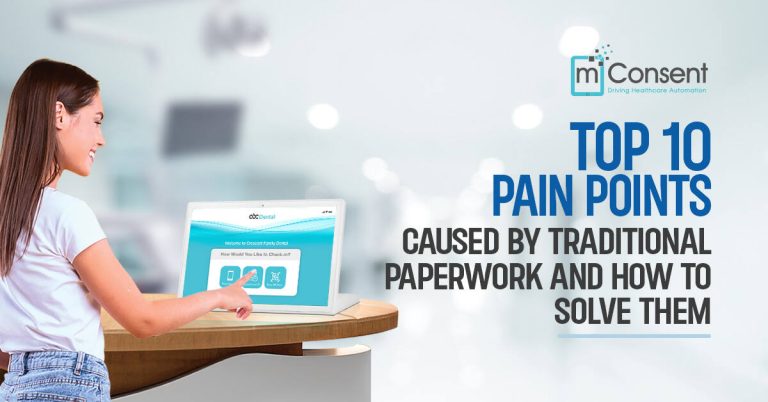





Optimising efficiency helps dental practices gain a competitive advantage in the evolving digital world of today. Patient intake forms can become a bottleneck in the workflow although they are crucial for gathering essential patient information.

In this blog we will talk about 7 actionable tips including digital solutions to customizations for streamlining your patient intake workflow. These tips will help ensure a smoother experience for your staff and patients.

1. Use Electronic Forms: Digitise your paper forms to reduce paperwork and streamline data collection in your dental practice.

2. Keep Forms Simple: Improve efficiency and enhance patient experience through simplifying forms.

3. Use Clear Language: Use plain and easy-to-understand language to communicate effectively with patients.

4. Provide Clear Instructions: Use precise instructions to help patients fill out forms correctly.

5. Use Checkboxes and Drop-Down Menus: Easy selection options simplify data entry process and reduce errors.

6. Prioritise Required Information: Save time and streamline intake process by focusing on essential details.

7. Review and Update Forms Regularly: Regularly update forms according to changes in your practice and patient needs.

Read more to learn about 7 Tips for Streamlining Your Patient Intake Forms. Discover how mConsent helps dental practices improve operational efficiency by simplifying patient intake with electronic forms, precise instructions and customizable options.


7 Tips for Streamlining Your Patient Intake Forms_

Important disclosures

The information in this article is for general informational and educational purposes only. Individual results vary by practice. Pricing and program terms are governed by the MSA at activation. mConsent operates as a Business Associate under HIPAA and executes a BAA with client practices.

General information. The information provided in this article is for general informational and educational purposes only and does not constitute legal, financial, compliance, or professional practice advice. mConsent makes no representations or warranties regarding the accuracy, completeness, or suitability of this content for any particular practice or circumstance. Individual results vary based on practice size, payer mix, patient demographics, geographic location, and other factors outside mConsent's control.

Performance benchmarks. Performance benchmarks and industry metrics cited in this article are derived from published third-party research and do not represent guaranteed outcomes for any individual practice. All commercial claims are subject to the terms of your Master Services Agreement (MSA). See mconsent.net/terms-and-conditions/ for details.

HIPAA compliance. mConsent operates as a Business Associate under HIPAA and executes a Business Associate Agreement (BAA) with each customer. Nothing in this article constitutes a representation of HIPAA compliance for any specific workflow, configuration, or use case. Customers are responsible for their own HIPAA compliance program and for ensuring their use of mConsent aligns with applicable regulatory requirements.

TCPA and text messaging. SMS and text-to-pay features referenced in this article require prior express written consent from each patient in compliance with the Telephone Consumer Protection Act (TCPA). Standard message and data rates may apply. Reply STOP to opt out. It is the customer's sole responsibility to obtain and document required consents and to comply with all applicable federal and state telecommunications regulations.

Trademarks. Dentrix® is a registered trademark of Henry Schein One, LLC. Eaglesoft® is a registered trademark of Patterson Companies, Inc. Open Dental® is a registered trademark of Open Dental Software, Inc. These trademark holders are not affiliated with mConsent and do not endorse, sponsor, or certify any mConsent product or service.

Forward-looking statements. This article may contain forward-looking statements about product features described as “designed to” achieve certain outcomes. Actual feature performance, availability, and results may differ. mConsent reserves the right to modify or discontinue features at any time. For current product capabilities, refer to official product documentation at mconsent.net.

Schedule A Demo →