
AI Dental Receptionist That Answers Every Call Your Team Can't Pick Up
Zaha AI is an AI dental receptionist, designed to answer your practice's calls when your team is with patients in the chair - after hours, on weekends, during lunch, and during peak times. Trained on dental workflows. Discloses it's AI. Hands off to a human when it should.
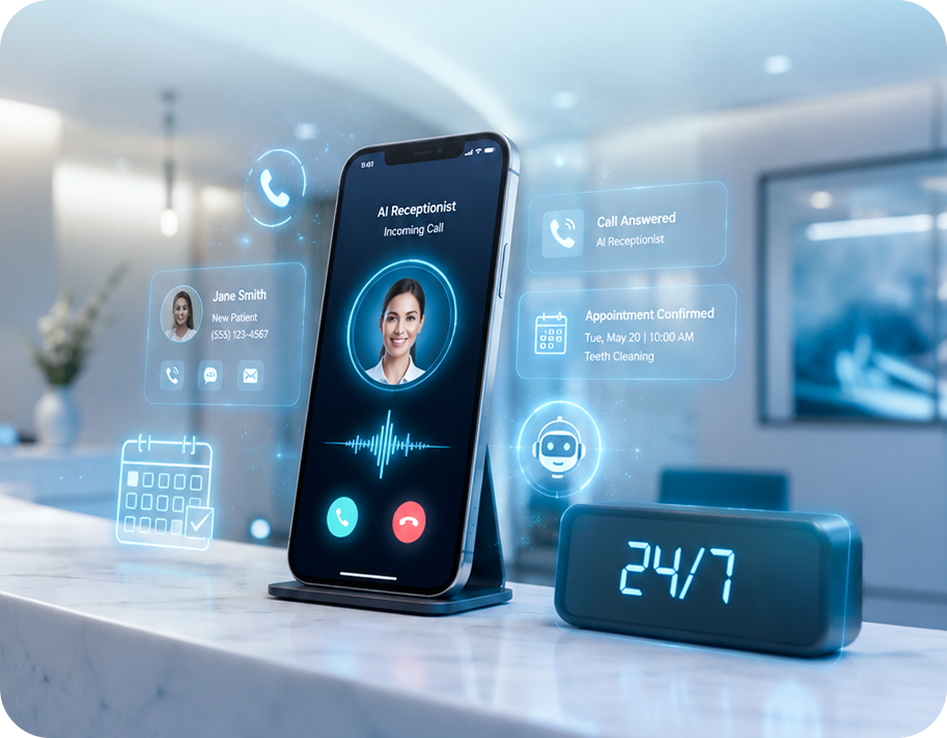
What Zaha AI Does as Your AI Dental Receptionist.
Most AI receptionist tools overpromise and under-disclose. Zaha takes the opposite approach: a narrow, dental-trained call scope with explicit handoff rules built in.
Handle the routine calls that shouldn’t interrupt your team.
- Greet callers and identify itself as an AI receptionist, every call, always.
- Answer common FAQs: hours, address, accepted insurance, directions.
- Book, reschedule, and cancel appointments for practices with calendar sync enabled.
- Follow up on cancellations with rebooking options, so the slot doesn’t stay empty.
- Configure per location for multi-location practices and DSOs, with per-site greetings and routing rules.
- Send SMS or email confirmation after the call - subject to TCPA consent on record.
- Log every call with transcript and recording to your dashboard.
Everything a dental receptionist decides, not looks up.
- Diagnose dental pain, assess urgency, or give clinical guidance - these route to a human immediately.
- Quote prices, confirm insurance coverage, or discuss treatment plans.
- Handle complaints, billing disputes, or anything the caller asks to speak with a human about.
- Pretend to be human. If asked, Zaha confirms it’s an AI - always.
- Replace your team. Zaha is designed to catch calls that would go to voicemail, not the ones where a human should pick up.
The AI discloses itself every call, always - and hands off the moment a caller asks for a person, or the call drifts outside what the AI was trained to handle.
Your Dental Practice Is Missing 20-30 Calls a Week.
Some try the practice down the street. Some are new patients who were ready to book but wanted to talk to a human first. A few were after-hours emergencies. Zero of them are on your books.
The average dental practice misses 20-30 inbound calls per week, most of them during windows the front desk already knows about. After 5 PM, when a patient in pain runs a 'dental emergency near me' search and calls whoever picks up. Lunch, when the team is covering the chair and the phone rings through. The mid-afternoon surge, when appointments and calls overlap.
A voicemail greeting doesn't recover this revenue. Research consistently shows 70-80% of callers won't leave one and the ones deciding between your practice and a competitor won't wait for a callback. They book with whoever answers first.
An AI dental receptionist solves this at the source. Zaha answers in those exact windows, books appointments into your PMS, and routes anything requiring a human, clinical questions, complaints, or any caller who asks, to your team immediately, with the full call transcript attached. Roughly ~80% of the calls currently going to voicemail are routine enough to be handled this way. The rest stay with your staff.
AI Dental Receptionist Setup: Live in 24 Hours for Basic Call Answering
Zaha plugs into your existing phone number through a forwarding rule. No new hardware. No ripping out your PMS. Most practices have Zaha answering after-hours calls by day two - full calendar sync and peak-time coverage layer in over the first week.
Quick onboarding form
You provide practice credentials, phone-routing rules, hours, and accepted insurance. Zaha is typically configured with a basic greeting and FAQ responses within 24 hours.
Day 1 · Basic go-liveTune the call flow
Your onboarding specialist reviews your call volume, tunes Zaha’s response library to your providers and services, and configures your human-handoff rules.
Day 2–4Connect calendar & PMS
Zaha syncs with Google Calendar or with Dentrix, Eaglesoft, Open Dental, or other supported PMS for direct booking. Eligible practices go deeper; others stay on confirmation-mode.
Day 4–5Expand coverage
Most practices start with after-hours only, review a week of transcripts, then expand to lunch and peak-time overflow. Coverage scope is in your control throughout.
Day 5–7Every call, logged. Every transcript is searchable. Every handoff is documented.
Open the dashboard and see what your AI receptionist handled while your team was with patients. Calls answered, appointments booked, calls handed to humans, calls where the caller hung up before engaging, all logged with transcript and recording.
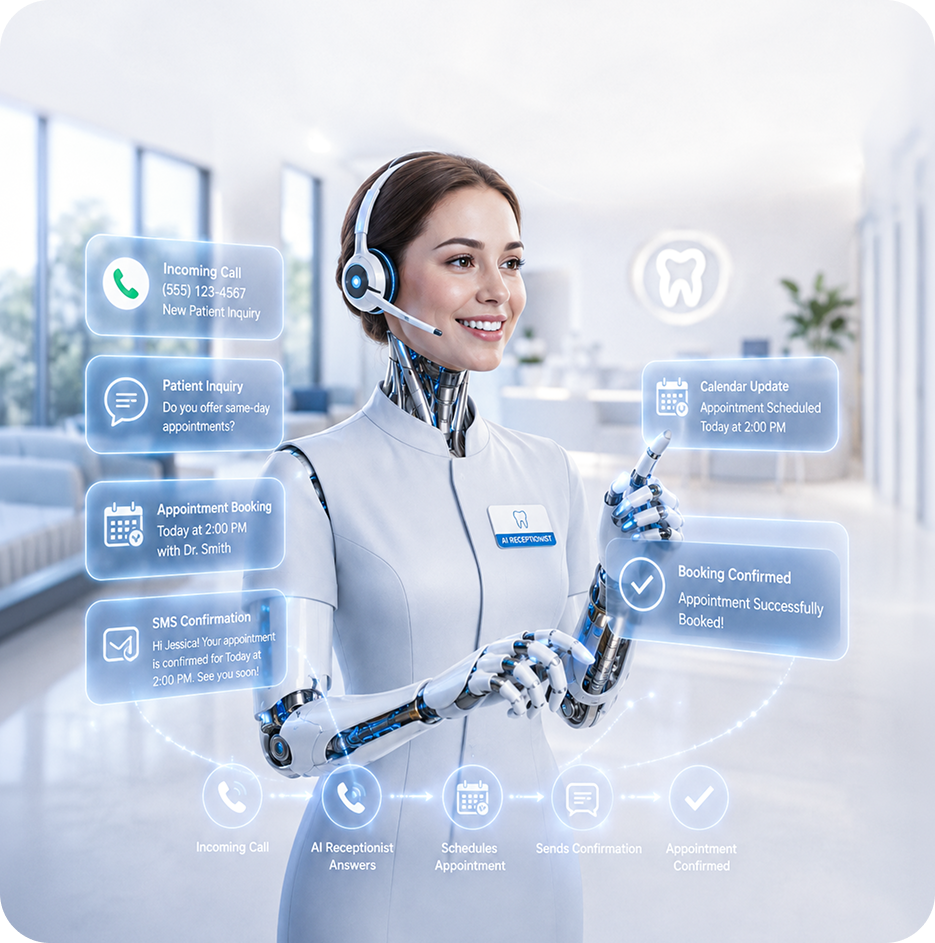
If Zaha doesn’t find missed calls in your practice, we buy lunch.
We’re confident your practice has a missed-call problem - most do. If during your trial Zaha detects no significant call leakage, we’ll buy lunch for your entire team, up to $150 via Uber Eats or DoorDash. That’s how sure we are this pays off.
Three practice owners describe what Zaha actually does on their phone lines.
What changed once Zaha was live on the overflow - in the words of the teams using it.
“I wanted the AI disclosure. Patients appreciate knowing they’re talking to a bot that can actually book them an appointment at 9 PM, versus a human who’s going to call them back at 10 AM tomorrow. The disclosure is the feature.”
“We went live with after-hours only and looked at the transcripts for a month. Once I saw the handoff was working - Zaha was actually routing the hard calls to us, not faking its way through - I opened it up to lunch and peak times.”
“Our after-hours voicemails used to be a graveyard. Now they’re booked appointments on my Monday morning schedule. The dashboard tells me who called, what they wanted, and whether Zaha closed the loop or kicked it back to us.”
The questions practice owners ask before they let AI touch their phone line.
The questions practices actually ask before putting a voice agent on their main line.
Yes. Zaha discloses that it’s an AI receptionist at the start of every call - this is built into the default greeting script and cannot be removed by practices. If a caller asks directly whether they’re speaking to a person, Zaha confirms it’s an AI.
Clear disclosure aligns with emerging state AI regulations (including the Colorado AI Act and California SB 942) and with FTC guidance on AI marketing. We view it as a feature, not a legal checkbox - patients respond better when expectations are set up front.
Zaha is designed to recognize common patient intents in a dental practice context. For anything outside that scope - clinical questions, billing disputes, complaints, treatment-plan discussions, or any caller who asks to speak with a person - the call routes to your practice line, voicemail, or on-call team per your handoff rules.
Every handoff is logged to the dashboard with the reason, transcript, and a callback prompt for your team. Zaha isn’t designed to guess its way through calls it shouldn’t be handling.
Yes. SMS confirmations, reminders, and follow-ups sent by Zaha are subject to the Telephone Consumer Protection Act and require patient consent. mConsent provides opt-in and opt-out tooling to support practice compliance, and Zaha captures verbal consent during the call before sending confirmations by text.
Your practice remains responsible for maintaining valid consent records; mConsent provides the infrastructure to capture, store, and honor opt-outs.
mConsent operates as a Business Associate under HIPAA and executes a Business Associate Agreement (BAA) with each customer. Call audio, transcripts, and any patient information captured during a Zaha conversation are protected under the BAA with administrative, physical, and technical safeguards designed to meet HIPAA requirements, including encryption in transit and at rest.
Zaha’s supporting infrastructure runs on US-based servers. Specifics of data retention, access controls, and audit logging are documented and reviewed during onboarding.
For practices on Google Calendar, Zaha books directly with real-time availability. For practices on Dentrix, Eaglesoft, Open Dental, Dolphin, and other major PMS, calendar integration is offered to practices that meet operational readiness criteria - things like a stable provider schedule, configured appointment types, and a predictable booking workflow. Practices that aren’t ready for full calendar sync start on confirmation-mode, where Zaha captures the booking request and your team confirms in the PMS.
Your onboarding specialist will walk through which mode fits your practice during setup.
Yes. Zaha’s response library is configured per practice, so specialty workflows - orthodontic consultations, oral-surgery referrals, endodontic emergencies, pediatric new-patient intake - are handled with scripts and appointment types specific to your practice. Onboarding reviews your specialty’s call mix and tunes the response library accordingly.
Specialty-specific clinical screening (pain levels, urgency triage) still routes to a human - that’s in the “not designed to do” column and isn’t changed by specialty.
Zaha supports per-location configuration. Each site can have its own greeting, hours, insurance list, providers, and handoff rules - all managed from one central dashboard. Call history and booking analytics roll up at the DSO level so regional directors get a portfolio view, while individual office managers see just their location.
Enterprise deployments (8+ locations) go through our enterprise onboarding track with dedicated rollout support. See the DSO program for enterprise pricing and procurement.
Zaha’s response library is limited to what your practice has approved: your hours, insurance list, providers, services, directions, and booking rules. It’s designed to say “I don’t have that information, let me connect you with the team” rather than fabricate answers outside its scope.
Every call is logged with transcript and audio. If a specific call didn’t go the way it should have, you can review it, flag it, and the response library updates so Zaha handles that scenario correctly next time. The review loop is part of how it improves for your practice specifically.
No. Zaha is designed to catch the calls that currently go unanswered - the after-hours calls, the calls during lunch, the overflow during peak times, and the routine bookings that don’t need a human touch. The calls where a human should answer still go to your team.
Most practices keep their receptionist and free that person up to focus on in-office patients, treatment coordination, and relationships. Zaha is overflow capacity, not a replacement.
Onboarding takes about a week from kickoff to after-hours go-live. Pricing depends on practice size, call volume, and which workflows you enable (after-hours only vs. full-day overflow vs. main-line coverage). A 14-day free trial is available, and after that the month-to-month option can be cancelled with 30 days’ notice - no multi-year lock-in required.
Specific pricing and service terms are defined in your Master Services Agreement with mConsent.
An AI dental receptionist is a voice-based software system that automatically answers inbound patient calls for a dental practice, without a human staff member. It handles common requests such as appointment booking, hours inquiries, directions, and insurance questions using conversational AI trained on dental office workflows. When a call requires human judgment, clinical triage, billing disputes, or a caller requesting a person, it routes the call to the practice's on-call team with a full transcript attached. Zaha AI is built specifically for dental practices and integrates with major PMS for real-time appointment booking.
Every caller is told they're speaking with an AI receptionist at the start of the call, before they've said anything. This disclosure is built into Zaha's default greeting and cannot be removed. If a caller directly asks, Zaha confirms it's AI. Aligns with FTC guidelines and state laws including the Colorado AI Act and California SB 942 - and in practice, patients respond better when expectations are set from the start.
Zaha runs on the same rails as the rest of the front desk.
One patient contact record. One consent history. One dashboard. Explore the modules Zaha integrates with - or see the full mConsent platform.
Call Zaha. Ask it something. See what it does.
The fastest way to know whether Zaha is right for your practice is to call the demo line and have a conversation. Two minutes. No form. No sales pitch.
Disclosures & footnotes
Zaha discloses it is AI, SMS follow-ups require TCPA consent, and individual practice outcomes vary. Implementation scope, integration behavior, and pricing are governed by your Master Services Agreement.
AI self-disclosure & regulatory alignment. Zaha identifies itself as an AI voice agent at the start of every call, designed to align with FTC AI-marketing guidance, the Colorado AI Act, and California SB 942.
Onboarding & go-live timeline. Basic go-live (call answering with greeting and FAQ responses) is typical within 24 hours of the onboarding form. Full calendar/PMS integration typically takes about a week depending on practice readiness.
Lunch offer terms. Lunch offer applies to practices seeing 50+ patients/week. “Significant missed calls” is defined during onboarding based on your call-log data. One redemption per practice. Subject to your trial agreement.
Missed-calls statistic: basis & variability. The 20–30 unanswered calls per week is a common pattern observed across dental practices with typical patient volume and standard staffing; individual practice numbers vary with market, hours, and call-log configuration. Confirm with your own phone system’s missed-call reporting.
Testimonials. Individual results vary. The experiences shared on this page reflect specific practices’ call volume, team workflow, and local market conditions. Each testimonial reflects an individual result and is not a guarantee of similar outcomes for other practices.
HIPAA, TCPA, and operational limits. mConsent operates as a Business Associate under HIPAA and executes a BAA with each customer. SMS confirmations, reminders, and follow-ups are subject to TCPA and require patient consent. AI voice agents can fail, misinterpret speech, or route imperfectly — Zaha is designed to route to your configured human handoff when it cannot help. Specifically, when a caller is in distress, asks for a person, or the conversation drifts outside Zaha’s trained scope, the call is routed to your practice’s configured on-call queue or voicemail with the full transcript and call context attached for your team’s review.
Illustrative content, trademarks, and policy links. Individual practice results vary; product displays are illustrative. Call transcripts and chat excerpts shown on this page are illustrative and do not depict an actual customer call; dialogue, timestamps, and outcomes are representative examples of how the handoff feature is designed to work. Dentrix, Dentrix Ascend, Eaglesoft, Open Dental, Dolphin, and Google Calendar are trademarks of their respective owners, used with attribution, no affiliation implied. Specific integration capabilities, pricing, and service terms are defined in your Master Services Agreement. Security practices · AI disclosures · Trial terms · Privacy policy · Terms of service




