 Technology Partner
Automate Your Eaglesoft Dental Practice and Free Up Your Front Desk
Keep running your dental practice in Eaglesoft dental software. mConsent, an official Eaglesoft integration partner, automates the work around it. Patient forms, contact updates, appointment confirmations, online booking requests, and payments sync with Eaglesoft. Your schedule, recalls, treatment plans, and patient balances help mConsent determine who needs a reminder and when, so patients stay engaged and keep coming back.
 Technology Partner
Your Team Stays in Eaglesoft. The Busywork Doesn’t.
There’s no new system to learn or extra screen to keep open. mConsent collects forms, confirmations, and payments from patients, then syncs the information back to Eaglesoft, right where your team already works. It’s Eaglesoft patient engagement software designed to automate front-desk tasks without disrupting your existing workflow.
Your Eaglesoft, Less the Paperwork.
Still scanning forms, manually entering medical histories, and calling patients to confirm appointments? mConsent takes those tasks off your team’s plate. Our dental automation software handles routine front-desk work and keeps Eaglesoft up to date, so your team spends less time on admin and more time with patients.
How mConsent and Eaglesoft Work Together
Patients
2 syncsHealth & Alerts
2 syncsForms
1 syncScheduling
3 syncsRecall
1 syncBilling & Treatment
2 syncsInsurance
2 syncsAnalytics
1 syncSee Your Eaglesoft Integration, Screen to Screen
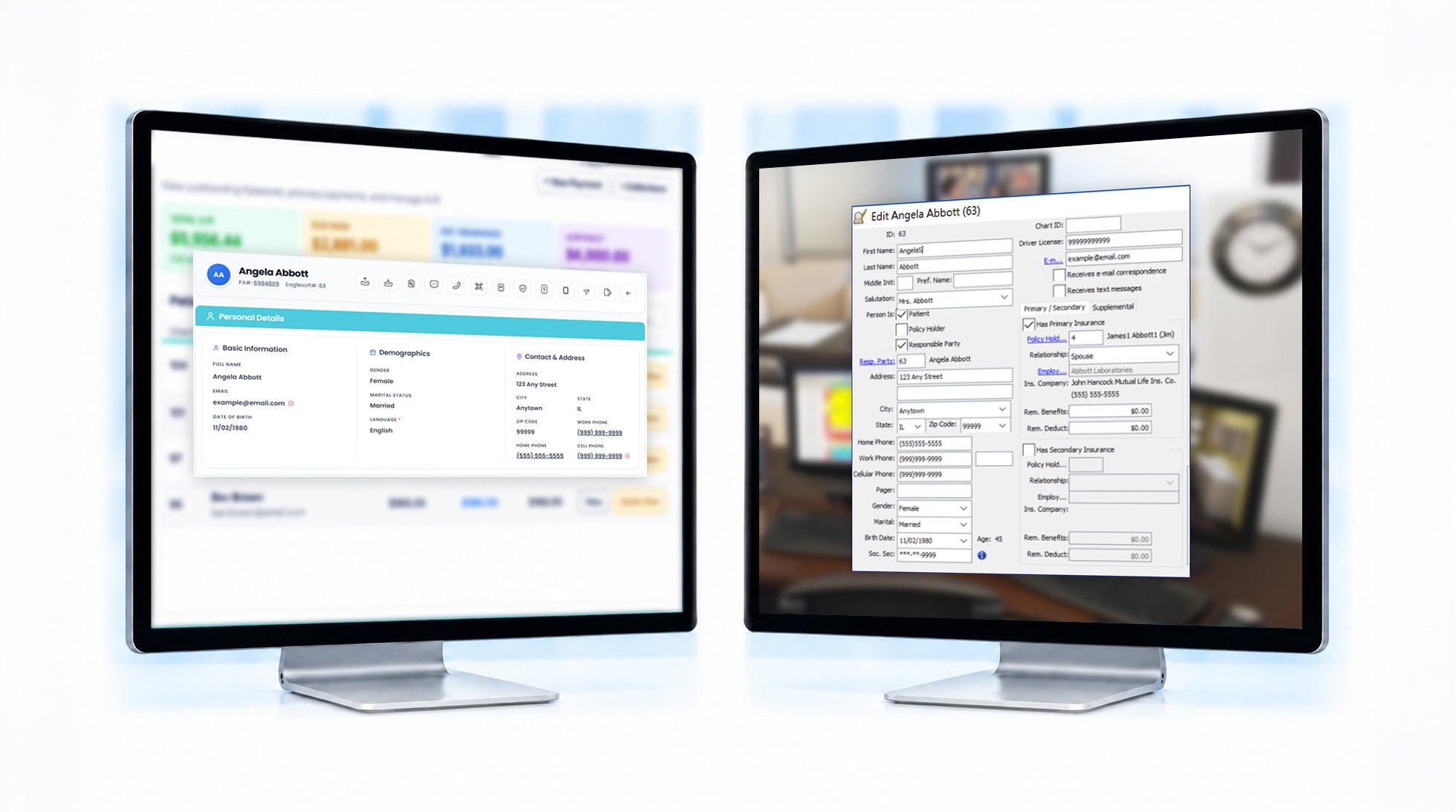
See how mConsent and Eaglesoft work together. Each step shows the mConsent screen, the Eaglesoft screen, and the information that syncs between them.
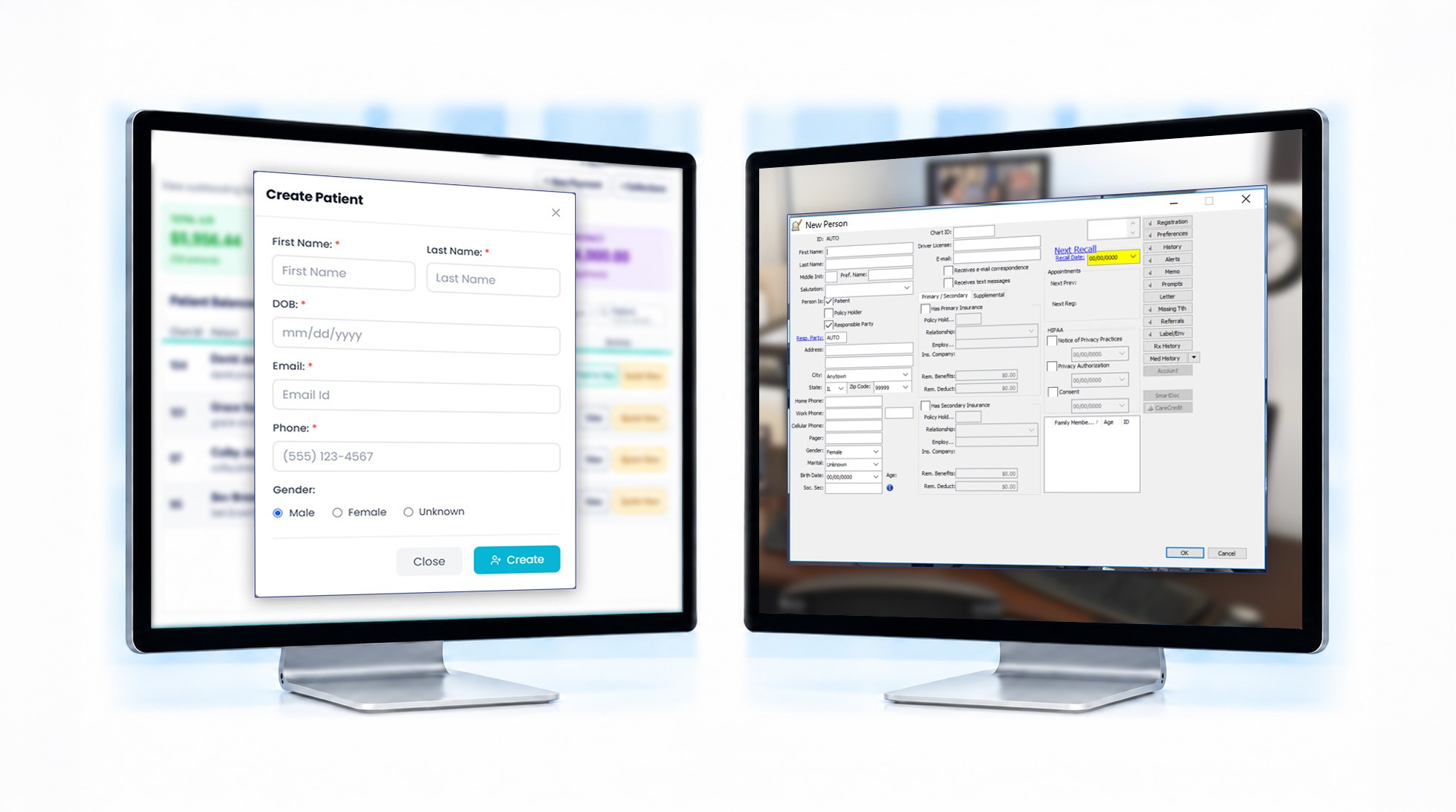
Keep Patient Details Accurate Without Retyping
When patients submit a new address or phone number through a form, or your team updates their details in mConsent, the changes sync with Eaglesoft. No duplicate data entry required.
Get New Patients Ready Before They Arrive
New patients complete their paperwork at home, so their Eaglesoft profiles can be ready before their first appointment.
The Dentist Sees Health Alerts Before the Visit
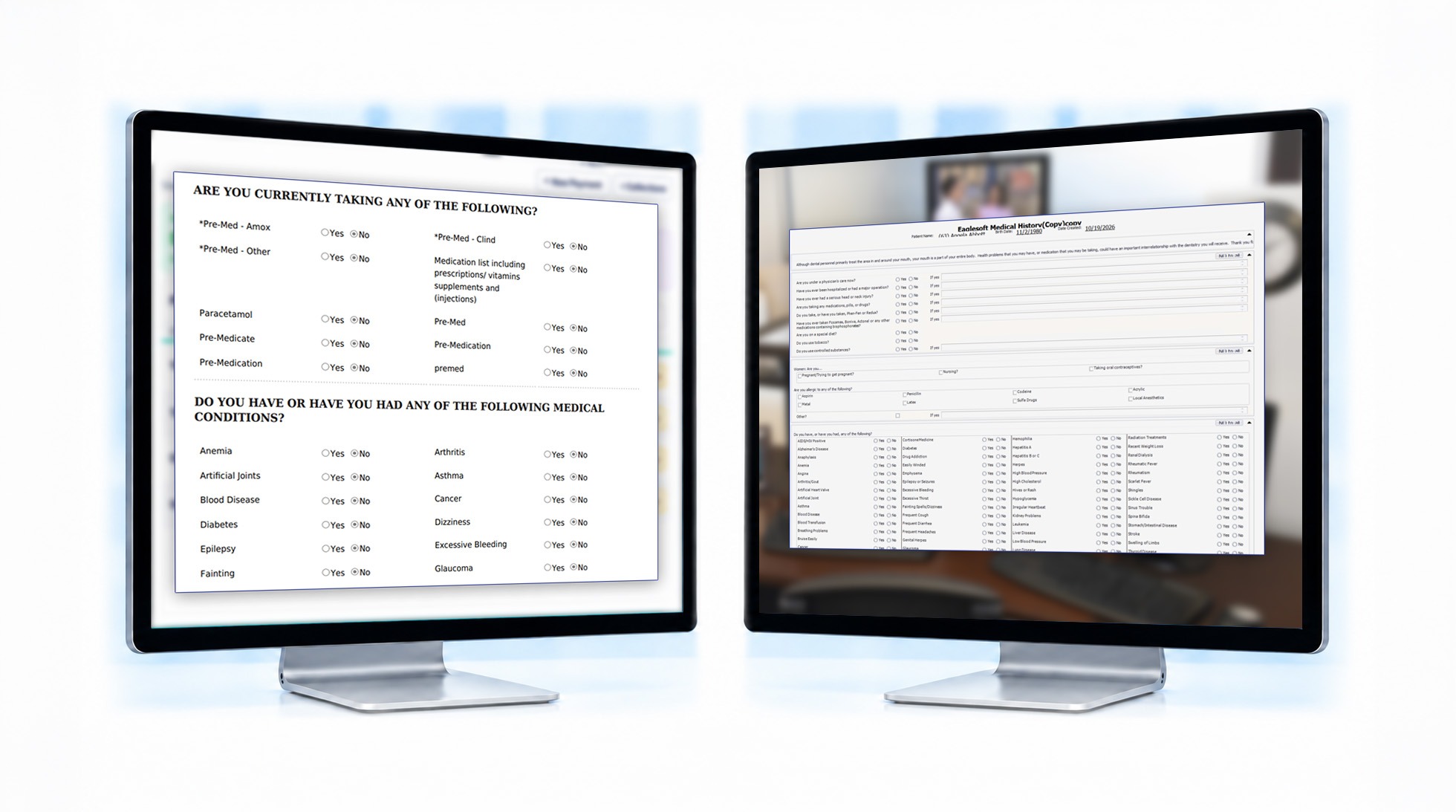
When a patient completes their medical history form, allergies, medications and conditions are added to Eaglesoft. Your clinical team can review them before the patient sits down.
Send Pre-Medication Reminders Before the Appointment
Some patients, such as those with a joint replacement, need antibiotics before treatment. mConsent sees the premed flag in Eaglesoft and reminds them in advance, so they don’t have to reschedule the appointment.
Eliminate Manual Paperwork Scanning
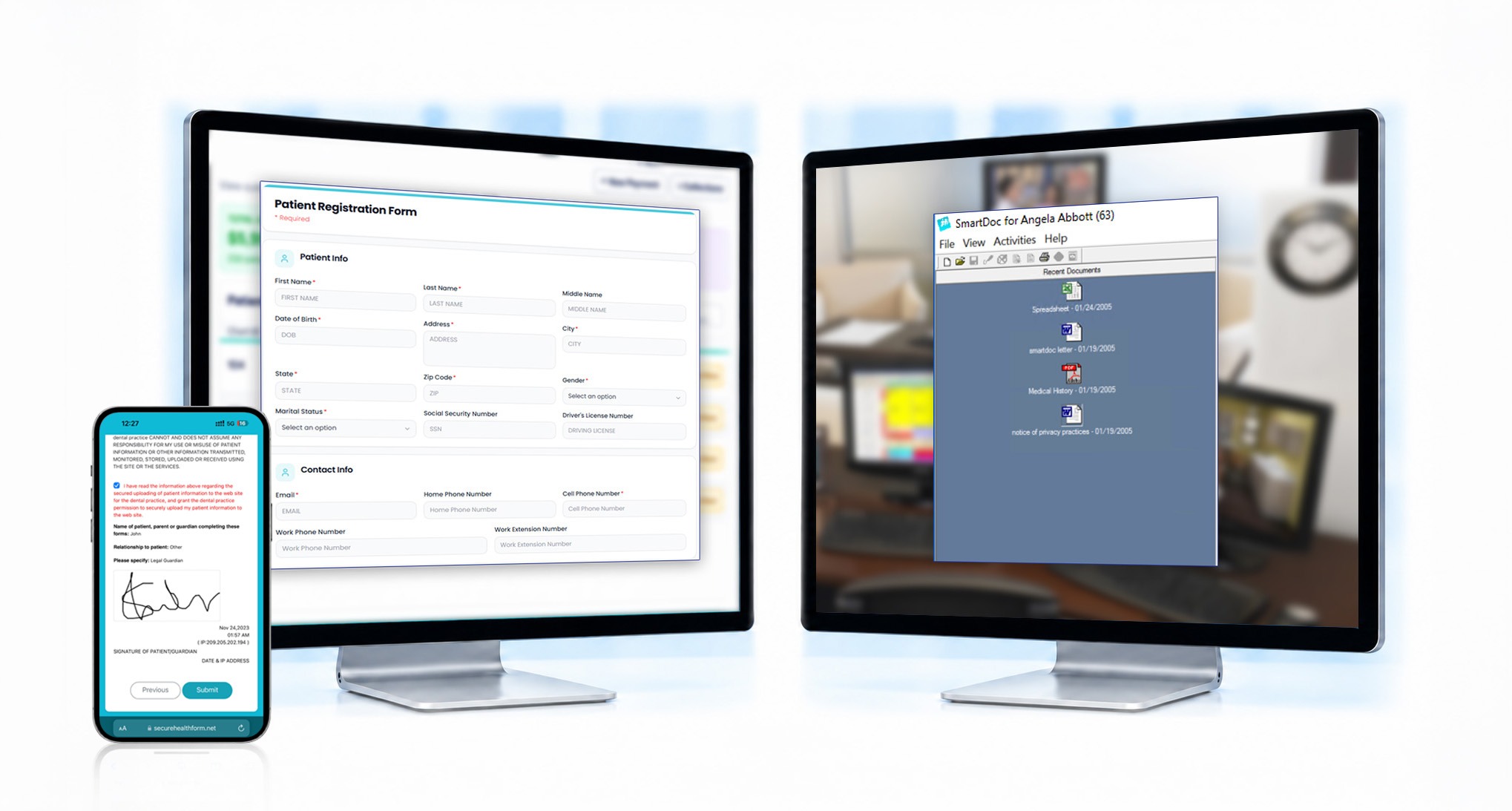
Signed forms and photos of ID and insurance cards are saved to the patient’s Smart Docs, ready for your team to access at check-in.
Send Reminders on Time Without Manual Follow-Up
mConsent follows your team's existing schedule in Eaglesoft, sending reminders and pre-visit forms on time. When you approve an online booking, it goes straight into the Eaglesoft Appointment Book.
Keep Appointment Statuses Consistent Across Both Systems
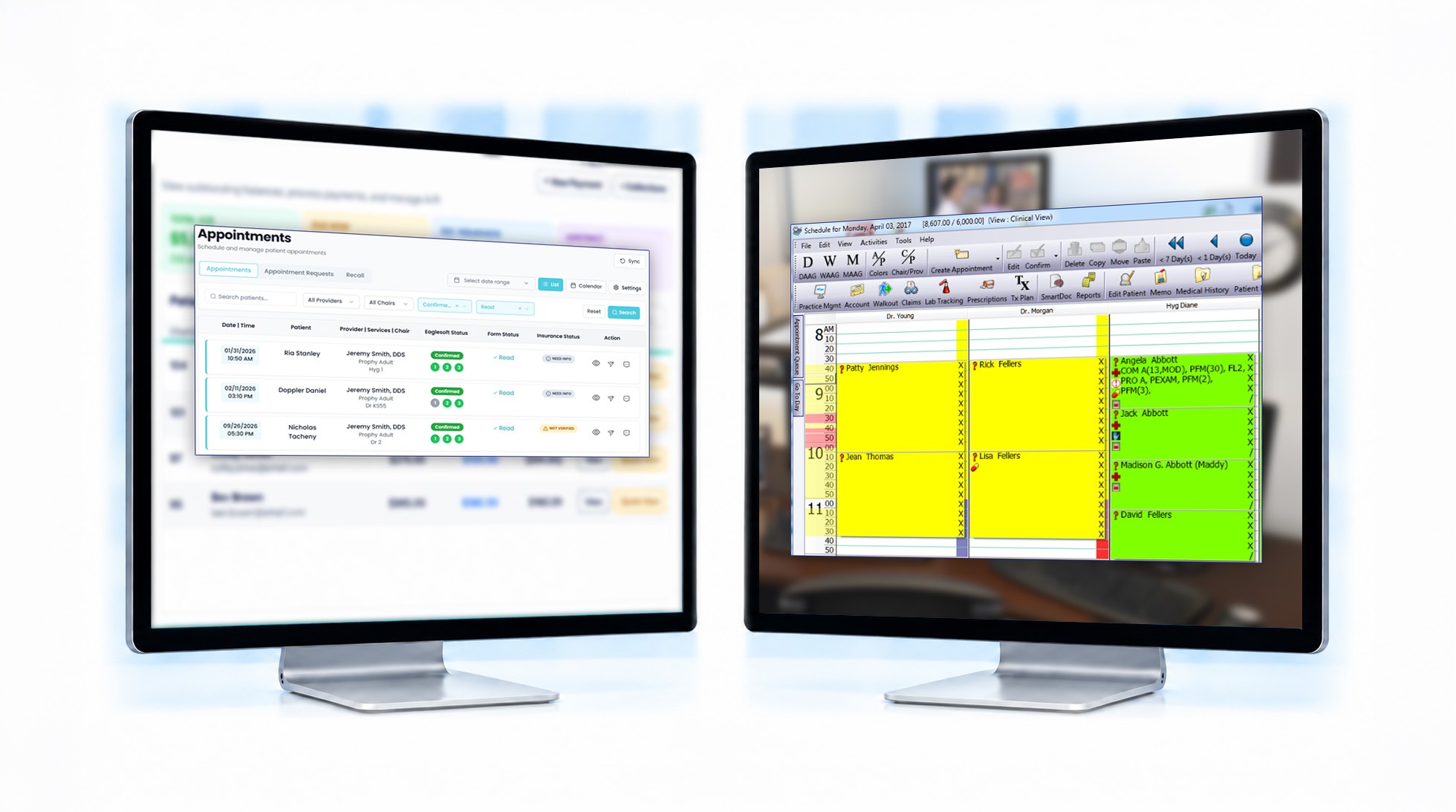
When an appointment is confirmed or completed in mConsent, the status syncs with Eaglesoft. Patients who have already confirmed aren’t asked to confirm again.
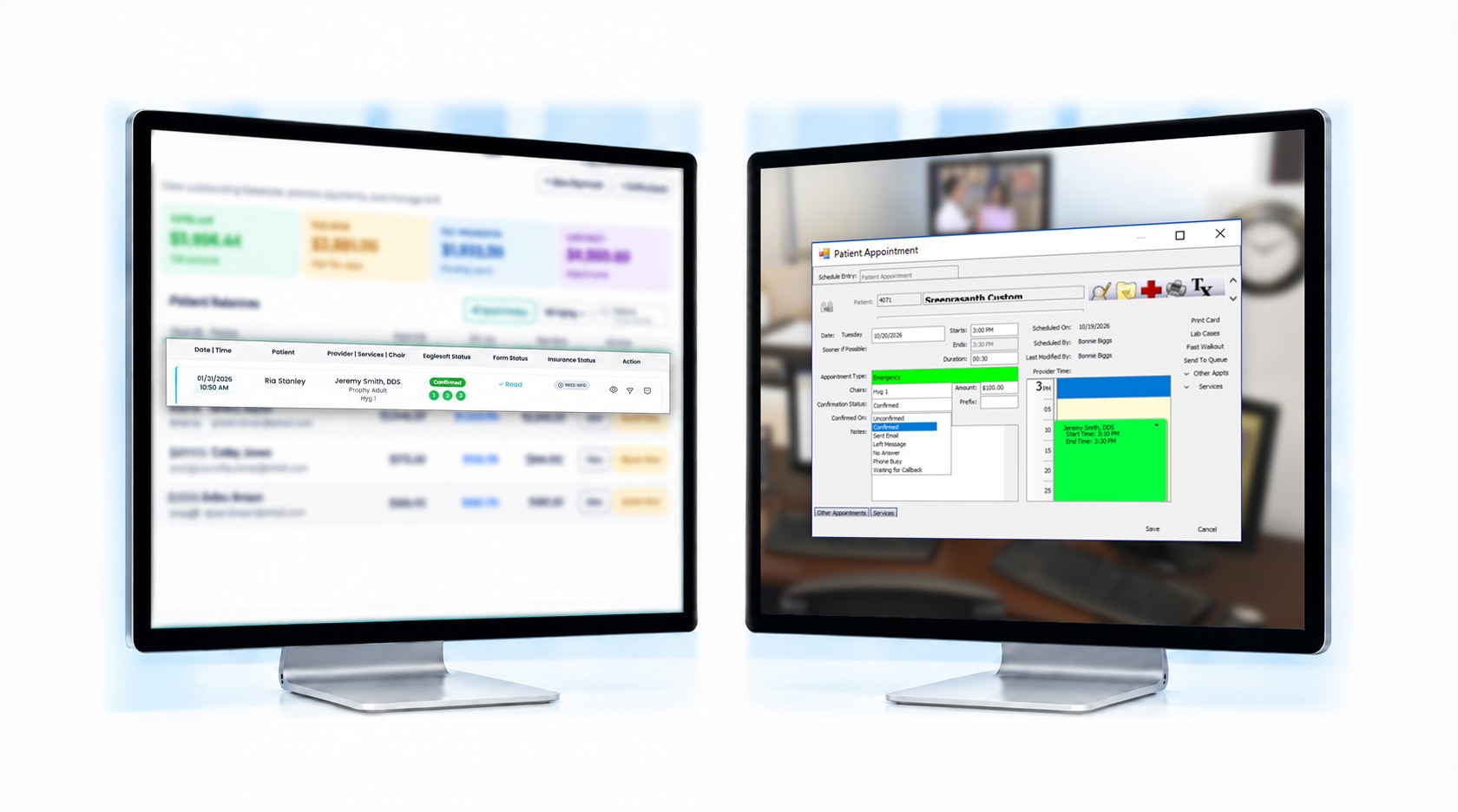
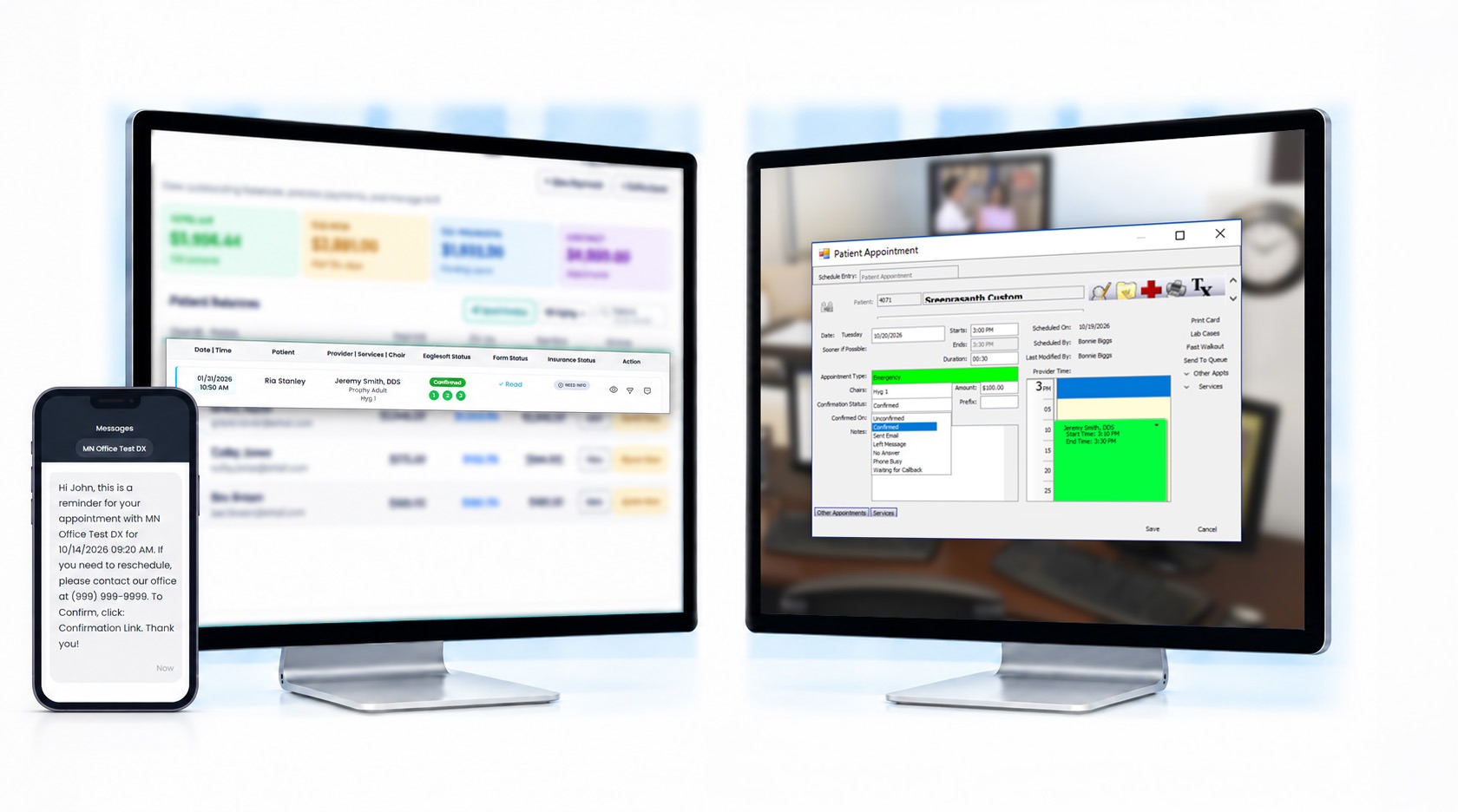
Confirm Appointments Without Phone Calls
Patients confirm appointments by replying to a text or clicking a link in an email. Their confirmation updates Eaglesoft, reducing the need for manual follow-up calls.
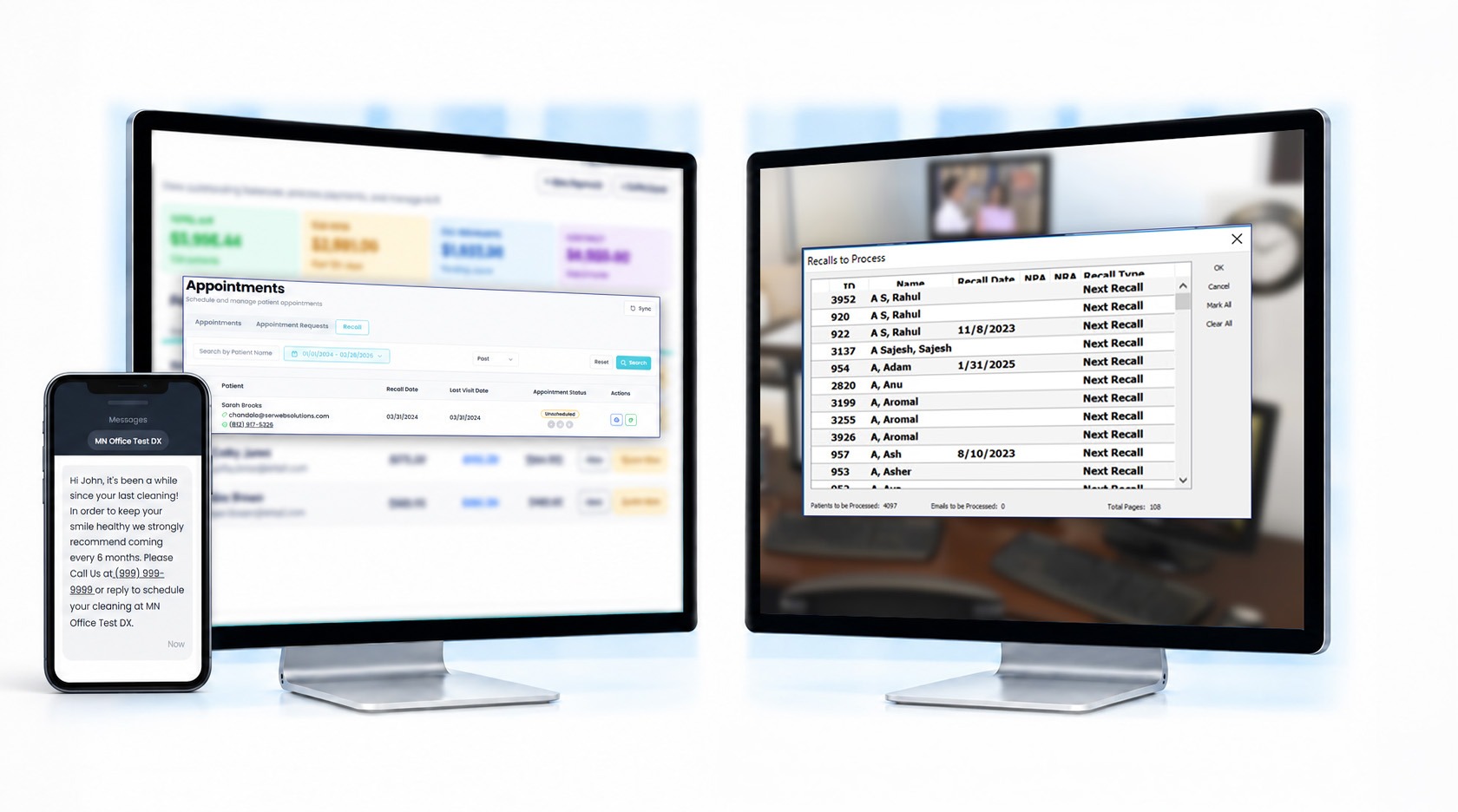
Bring Patients Back for Their Regular Cleanings
When patients are due for their next cleaning, mConsent sends reminders encouraging them to book. Your team no longer needs to manually work through recall lists.
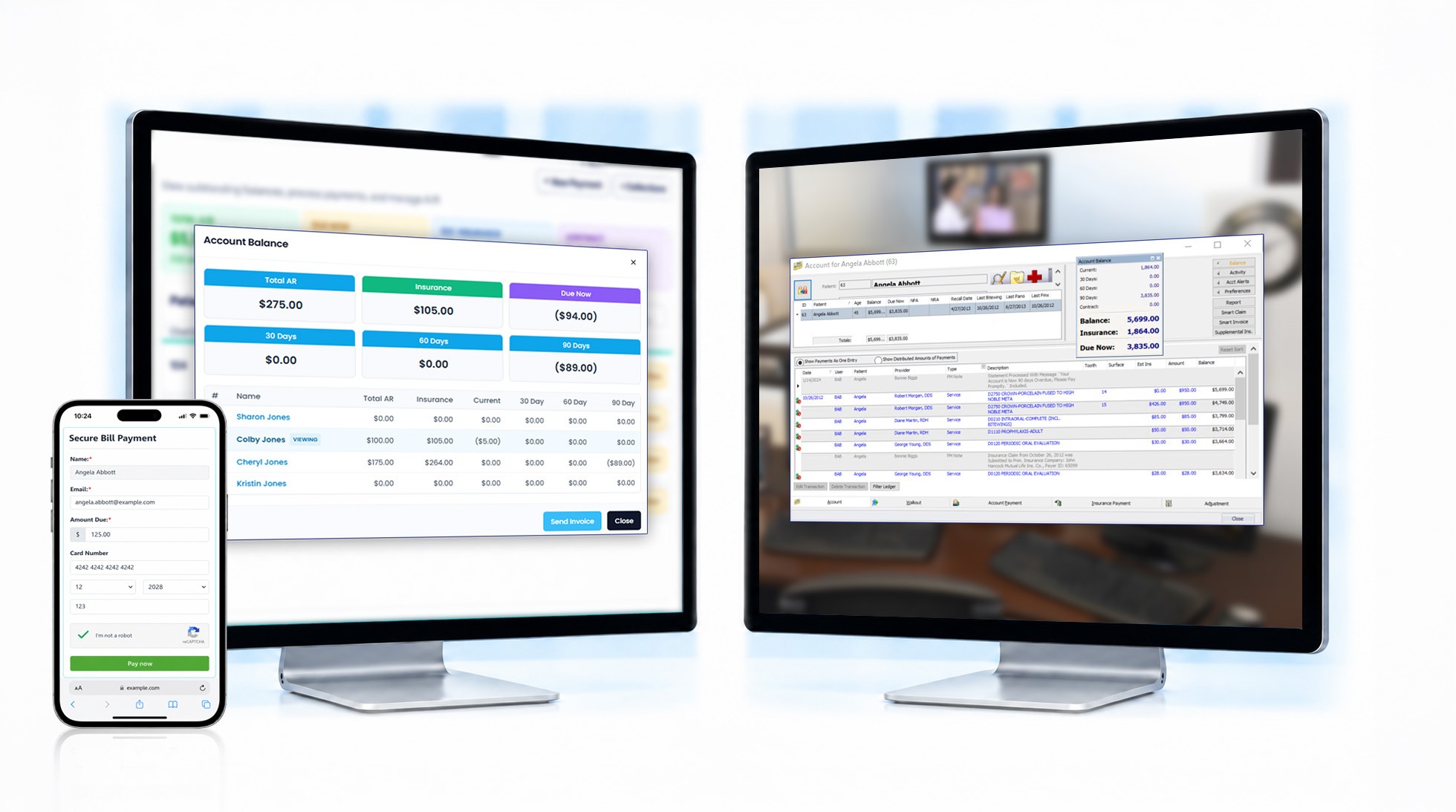
Let Patients Pay From Their Phones
Patients receive a text with their outstanding balance and can pay in a few taps or use the front-desk payment terminal. Payments post to their Eaglesoft ledger, reducing manual entry, statement processing, and follow-up calls.
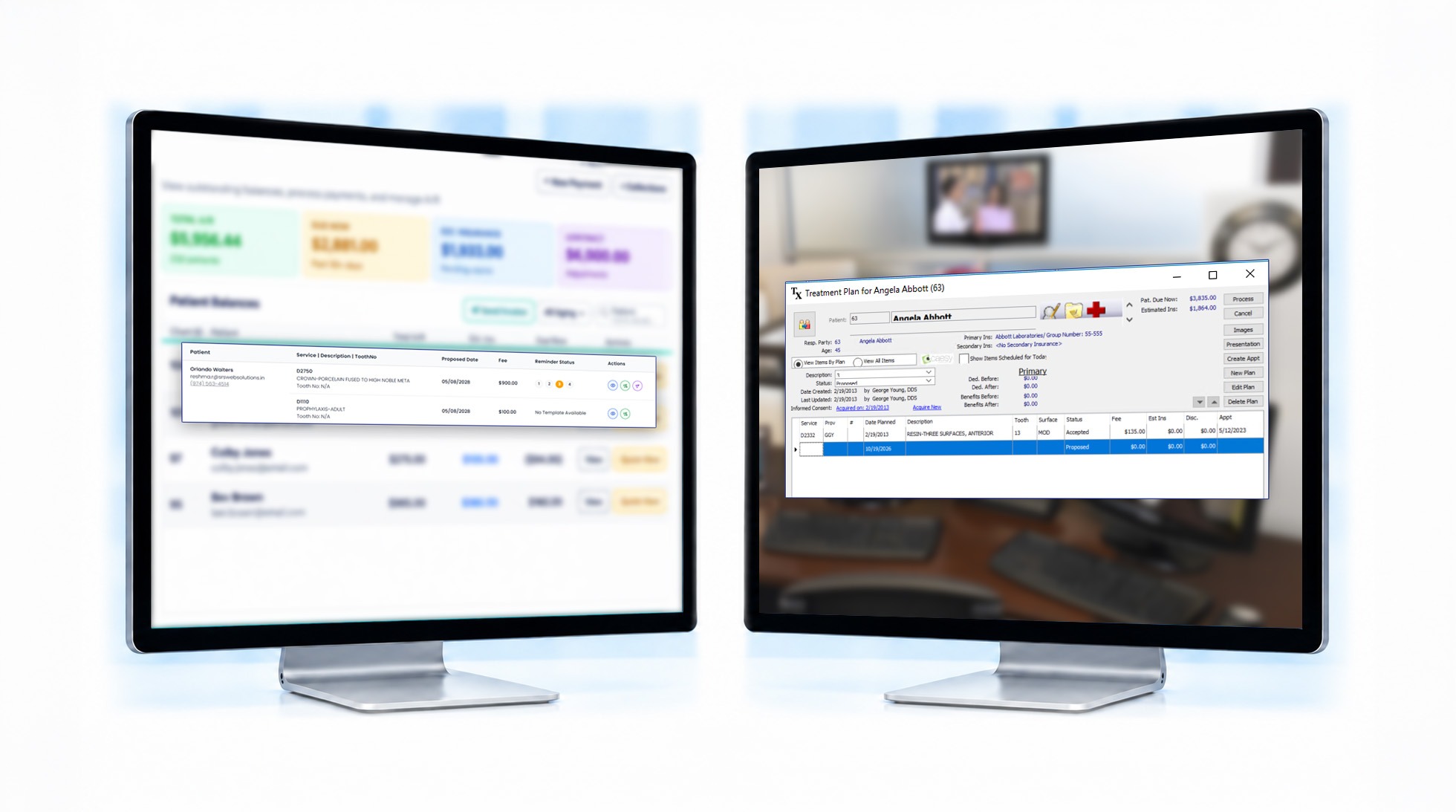
Turn Planned Treatment Into Scheduled Appointments
Help patients take the next step toward treatment. Patients can review and sign their treatment plans online and receive reminders if they haven’t scheduled their treatment.
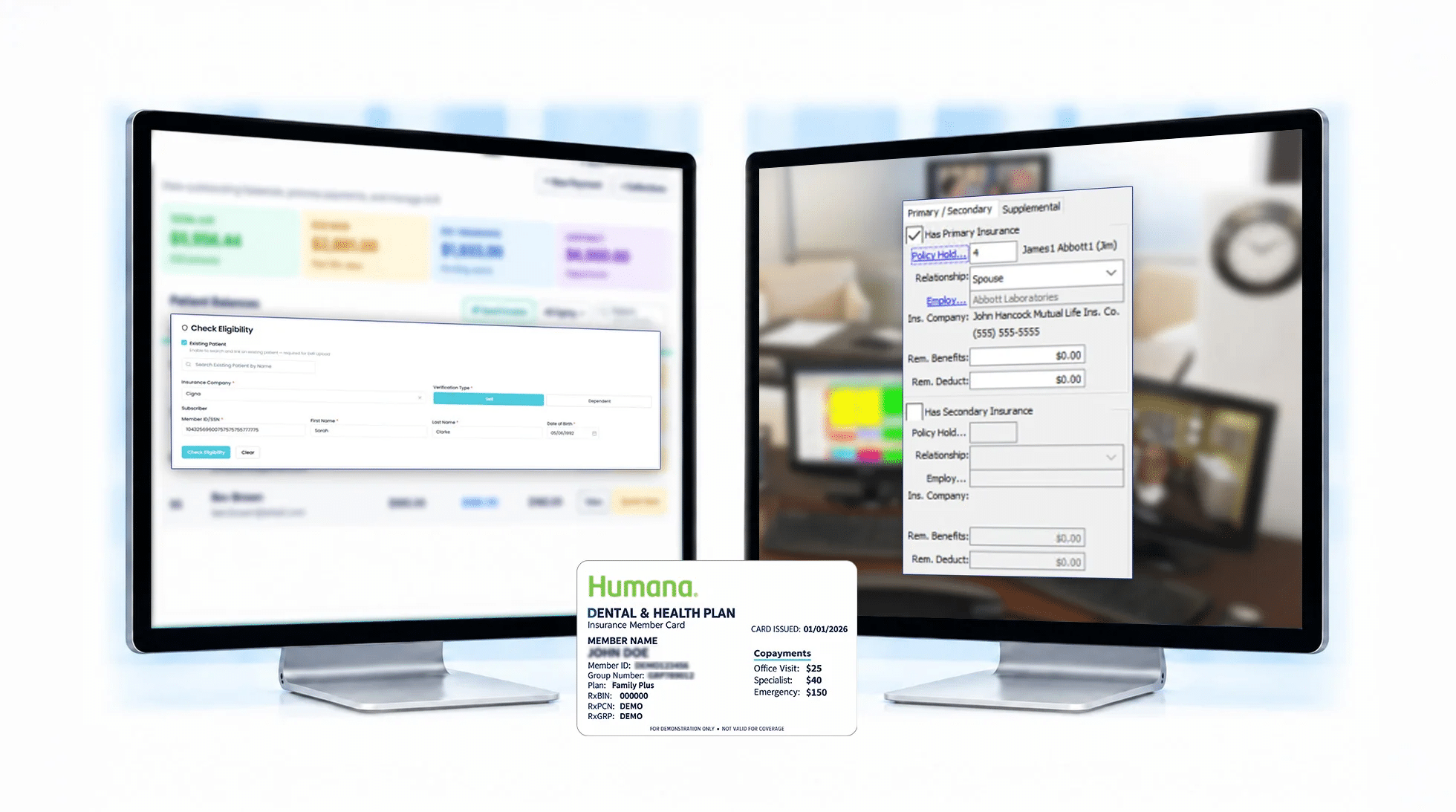
Check Insurance Coverage Before the Visit
mConsent uses the insurance information stored in Eaglesoft to support eligibility checks before appointments, helping your team spend less time on the phone with insurance carriers.
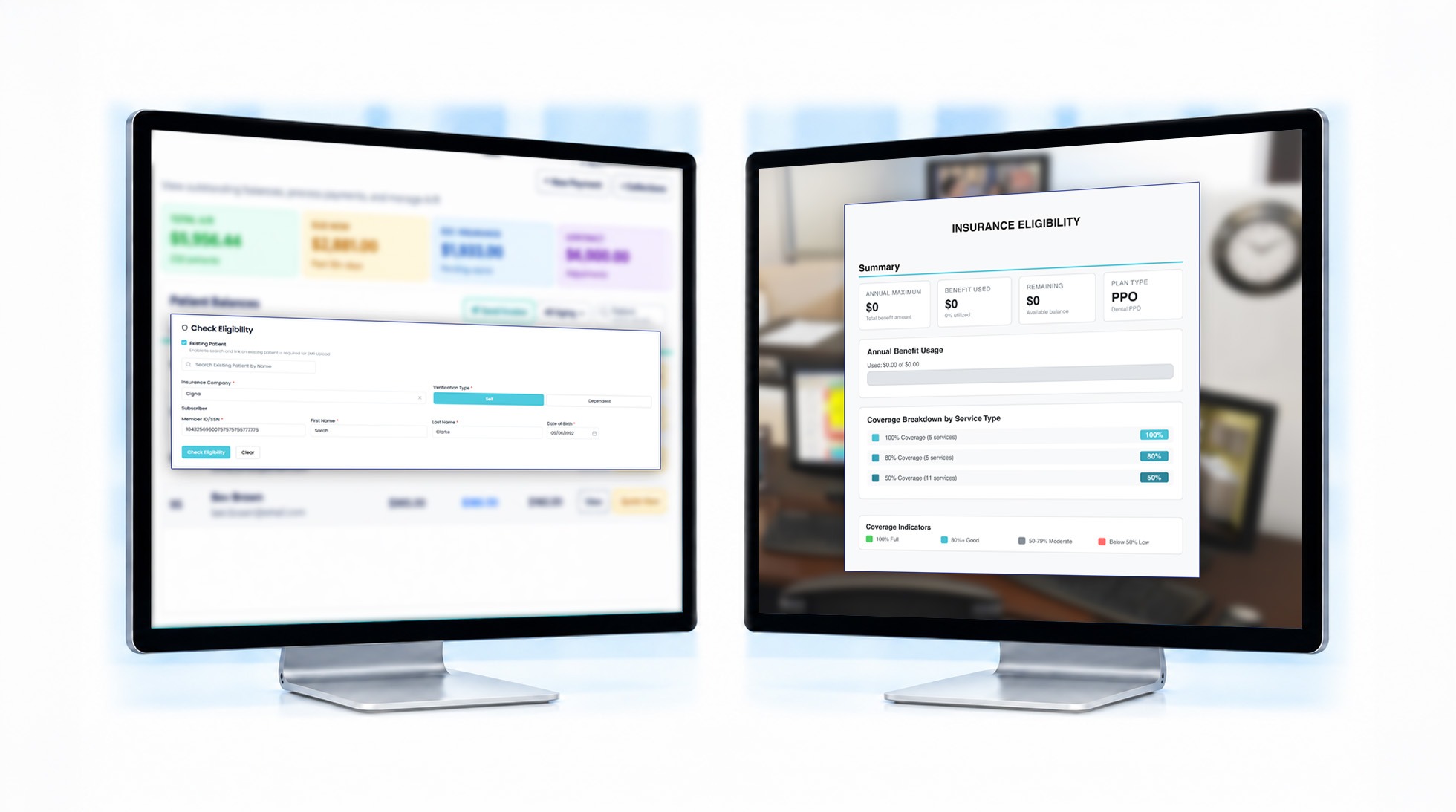
Have Insurance Coverage Details Ready at Check-In
Every insurance check is saved to the patient’s record, so the front desk can answer cost questions on the spot.
Want to hand off insurance work entirely? Insurance Concierge is our human-verified insurance service. Real specialists confirm eligibility and benefits with carriers for you. Learn More →
Track Practice Performance at a Glance
mConsent uses data from Eaglesoft to display key practice metrics in monthly charts on one dashboard. No need to run separate reports, and the analytics workflow does not change your Eaglesoft data.
Uses Eaglesoft Data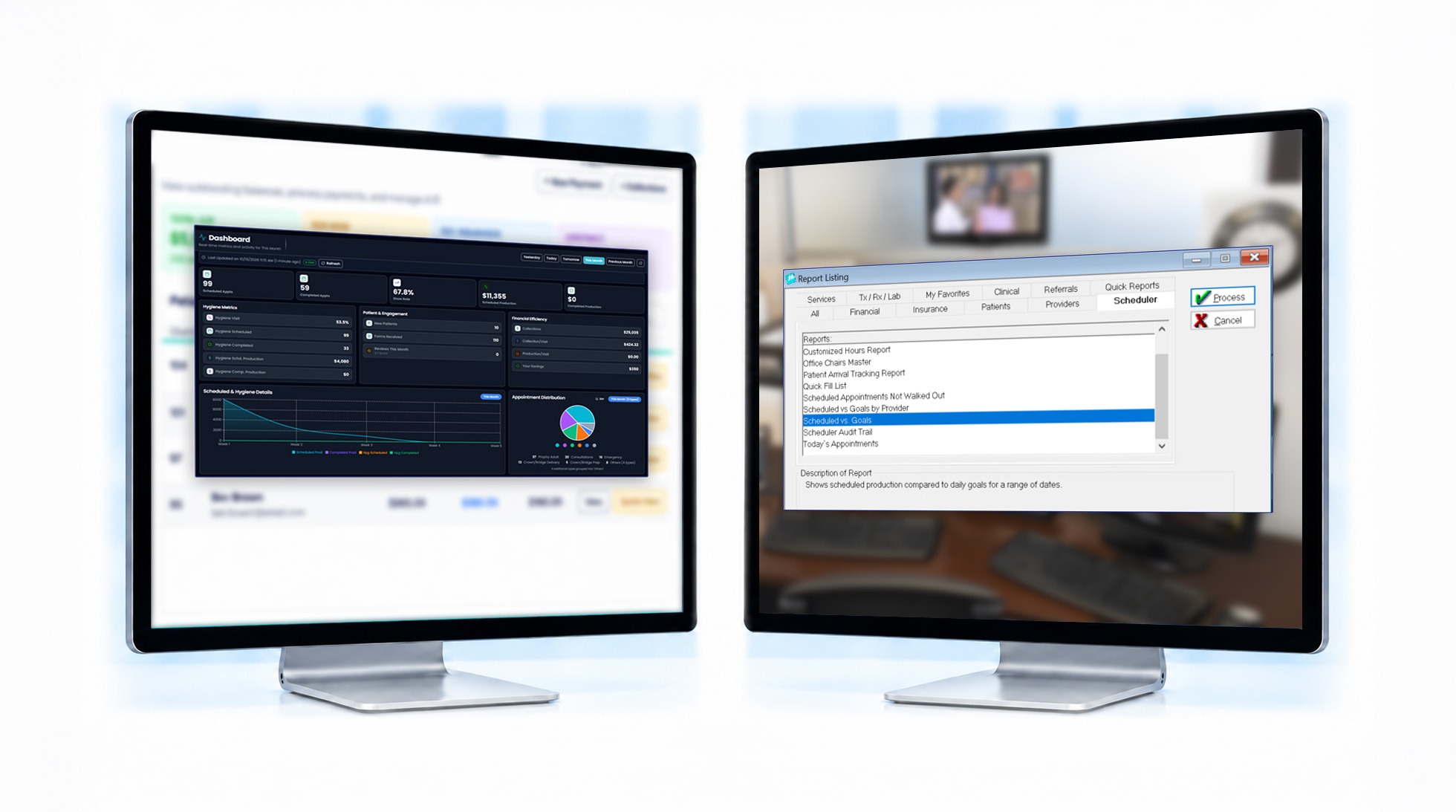
Every Module Works With the Data Already in Eaglesoft
Each product uses your Eaglesoft data, and we set it up for your practice during onboarding.
Paperless Intake
Patients fill out forms, sign documents, and share their insurance and medical history from their phone before they arrive. Completed forms are saved to Eaglesoft Smart Docs, ready for check-in.
Communications
Reminders, confirmations, and two-way texting run off your Eaglesoft schedule to reduce no-shows and keep chairs filled. Patient consent for texting is collected and tracked for you.
mPayr
Collect Eaglesoft balances by text or at the front desk terminal. Every payment posts to the Eaglesoft ledger, which makes collections easier to track.
Zaha AI
A virtual receptionist that answers routine scheduling calls day and night, so new-patient calls aren’t missed when the front desk is busy or closed.
Insurance Concierge
Checks eligibility and benefits using the insurance saved in Eaglesoft, then files the report in Smart Docs. Your team spends less time on the phone with carriers.
Online Scheduling
Patients can request an appointment online at any hour. Requests follow your provider, operatory, and appointment-type rules, and your team approves each one before it’s added to the Eaglesoft Appointment Book.
More Features That Work With Eaglesoft
Find more ways practices use mConsent alongside Eaglesoft every day.
eSign treatment plans
Patients review and sign treatment plans online, before or during their visit.
Pediatric forms
Parents or guardians can complete children’s intake forms before the appointment.
Recall reminders
Reminders based on Eaglesoft recall due dates help patients schedule their next cleaning.
Treatment reminders
Follow up with patients about treatment in their Eaglesoft plan that hasn’t been scheduled.
Mass messaging
Send messages to specific patient groups using filters based on their Eaglesoft data.
Patient reactivation
Reach out to patients Eaglesoft identifies as overdue for a visit.
Review requests with auto-send
Automatically send review requests after completed appointments.
ePrescription
Send prescriptions to pharmacies directly through mConsent.
FAQ
Answers to the questions practices ask most before connecting.
Works with Dentrix and Open Dental
Using different practice management systems across your locations? In addition to eaglesoft dental software, mConsent supports integrations with other practice management systems. Our team will confirm supported systems and workflows during onboarding.
See What mConsent Can Do for Your Eaglesoft Office.
See how Eaglesoft dental workflows can become simpler with mConsent. In a short demo, we’ll show you how patient forms are filed in Smart Docs, appointment confirmations update the Eaglesoft schedule, and patients pay their balances by text, all while your team continues working in its existing system. See how Eaglesoft integration can help reduce manual work, streamline patient communication, and simplify front-desk operations.
Full Disclosures & Trademarks
Eaglesoft integration partner status
mConsent is an official Eaglesoft integration partner and works with Patterson Dental to provide certified integrations for dental practices. This partnership ensures our connector is built and tested to Eaglesoft standards and best practices.
Connector scope & capability
mConsent is designed to read and write supported data with currently-supported Eaglesoft versions. Available data fields, posting behavior, and supported workflows depend on the Eaglesoft version installed at your practice, your network configuration, and options selected during onboarding. mConsent does not promise feature parity across every Eaglesoft version, edition, or environment, nor across every other PMS referenced on this page.
Product screenshots & UI mockups
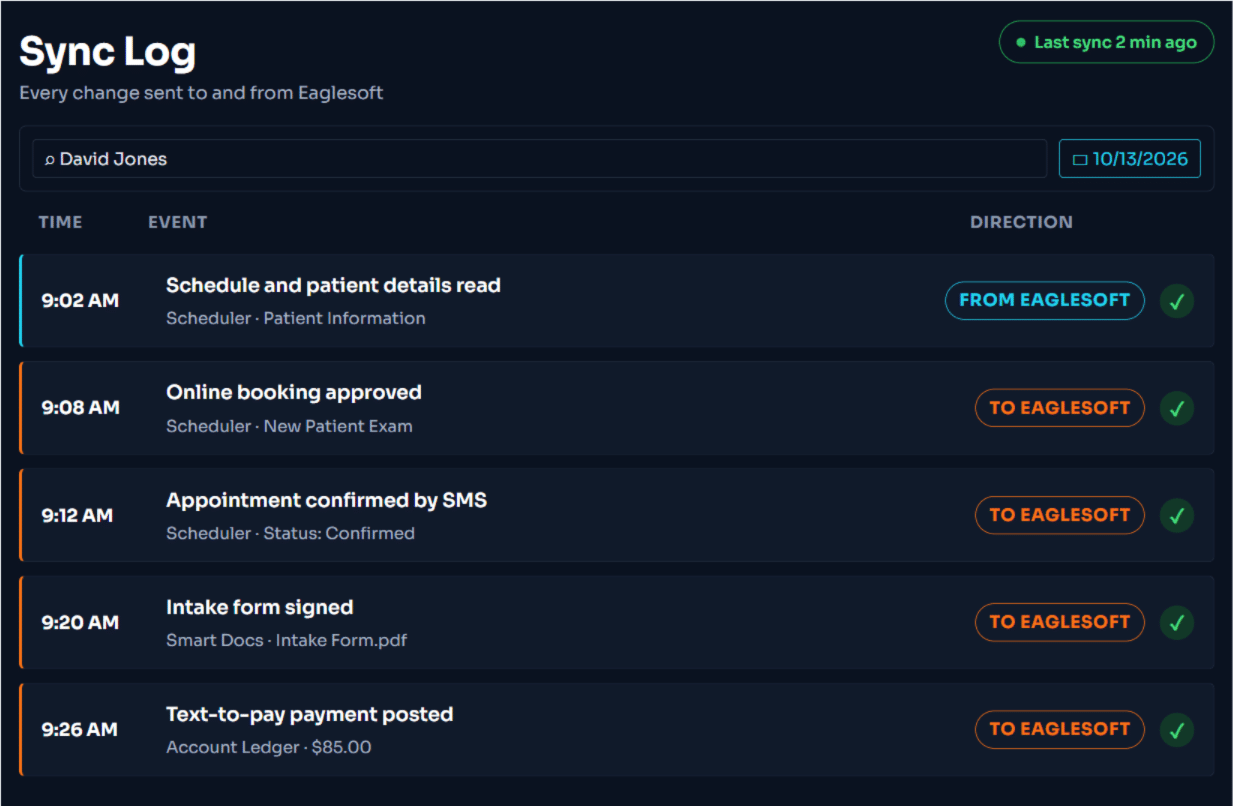
Interface screens shown on this page — including the Eaglesoft sync log illustration — are illustrative displays of intended functionality only. They do not reflect real patient or practice data, and the fields, labels, and status indicators shown may differ from your live environment based on your Eaglesoft version, configuration, and account settings.
SMS, voice & TCPA
Where any feature on this page sends a message to a patient — reminders, confirmations, payment links, or AI-assisted call workflows — the system is designed to capture express patient consent and to honor opt-out requests consistent with the federal Telephone Consumer Protection Act (TCPA), state messaging laws, and carrier requirements. The practice is responsible for the lawful use of these features — including how it obtains, records, and refreshes consent.
Pricing & MSA
All commercial terms — including pricing, included modules, available integrations, support hours, and uptime objectives — are governed by the master services agreement (MSA), order form, and applicable schedules executed between mConsent and the practice. Marketing copy on this page is descriptive of intended capability and does not modify or supersede those agreements. In any conflict, the executed agreements control.
Trademark attribution
Eaglesoft is a trademark of Patterson Dental, LLC. Dentrix is a registered trademark of Patterson Dental Supply, Inc. Open Dental is a registered trademark of Open Dental Software, Inc. mConsent is an Eaglesoft integration partner and an independent software vendor. Reference to these systems on this page is for identification purposes only.
HIPAA & protected health information
mConsent operates as a Business Associate under HIPAA and executes a Business Associate Agreement (BAA) with each customer. Patient information processed through Eaglesoft-connected workflows — intake, scheduling, insurance verification, and payments — is handled under the terms of the BAA, the practice’s Notice of Privacy Practices, and applicable federal and state laws. The practice remains responsible for its own use of the platform, including the consents it relies on.
Verified figures & forward-looking language
Aggregate platform figures referenced on this page are limited to: 5,000+ practices served since 2017, 5.5M+ patients, 30M+ documents processed, and 11M+ appointments handled across the platform. They reflect lifetime cumulative totals from mConsent system logs since 2017 and are not annualized. They are not a forecast or guarantee of any individual practice’s results. Phrases such as “designed to,” “intended to,” “built to,” and similar describe how a feature is engineered to behave in typical configurations and are not promises of any specific outcome, response time, or revenue impact for any individual practice. Outcomes vary based on practice size, configuration, staffing, and external factors outside mConsent’s control.
Testimonials & case studies
Any testimonials or case studies referenced on this page or elsewhere on the mConsent site represent individual practice outcomes and are not typical results. Your results may differ. mConsent makes no representation that any particular practice will achieve similar outcomes.