
Open chair? Dental marketing software to fill it.
Dental marketing software designed to help teams backfill open slots, run recall campaigns, and send seasonal offers, all with TCPA-aware opt-in handling and the standard administrative, physical, and technical safeguards expected of a HIPAA Business Associate, built in.
Quick Fill
Backfill open slots from a list
2-Way SMS
Patient texting w/ opt-in
Recall & Promo
Segmented campaigns
BAA
Executed with each customer
Designed to work alongside your PMS






Built for the messages dental teams send most
From filling a cancelled slot to re-engaging overdue patients and wishing a happy birthday, Patient Messaging is designed to consolidate the campaigns front-desk teams already run - with consent capture and audit trails built in.
Quick Fill backfills
When a patient cancels, send a single message to a segmented opt-in list designed to surface a willing replacement. Responses route into a 2-way thread for staff to confirm.
Patient recall
Reach patients overdue for hygiene or treatment with a segmented, scheduled recall sequence. Designed to give the front desk a structured way to reconnect.
Birthday & holiday
Scheduled greetings to keep your practice top-of-mind. Templates pull patient first name and practice signature so messages stay personal at scale.
Promotions & offers
Whitening, referrals, seasonal offers - segmented to specific patient groups with clear opt-out language and STOP/HELP keyword handling on every send.
2-way patient texting
Patients reply directly to confirm, reschedule, or claim an open slot. Threads stay attached to the patient record for the team to pick up.
Syncs with reminders
Designed to share consent state and message history with mConsent's appointment-reminder workflow so the same opt-out applies across all communication.
From open slot to message-out in four steps
A dental marketing software workflow designed to keep front-desk teams moving without losing track of consent, segmentation, or message history.
Build the segment
Filter your active, opted-in patient list by treatment, last visit, insurance, or custom tags pulled from your PMS.
Pick a template
Start from a Quick Fill, recall, birthday, or promo template - or write your own. Required disclosure language is pre-included.
Review & send
Confirm the audience size, preview the message on a sample record, then schedule or send. Opt-out keywords are honored automatically.
Reply & book
Replies land in a unified inbox with patient context. The front desk confirms the slot and the appointment is logged back.
Cancellations happen. The chair doesn't have to stay open.
When a patient cancels, Quick Fill is designed to send a single targeted message to opted-in patients most likely to fit the slot. Replies route into a 2-way thread so the front desk can confirm and book without playing phone tag.
Recall, birthdays, promos - one builder, audit-ready
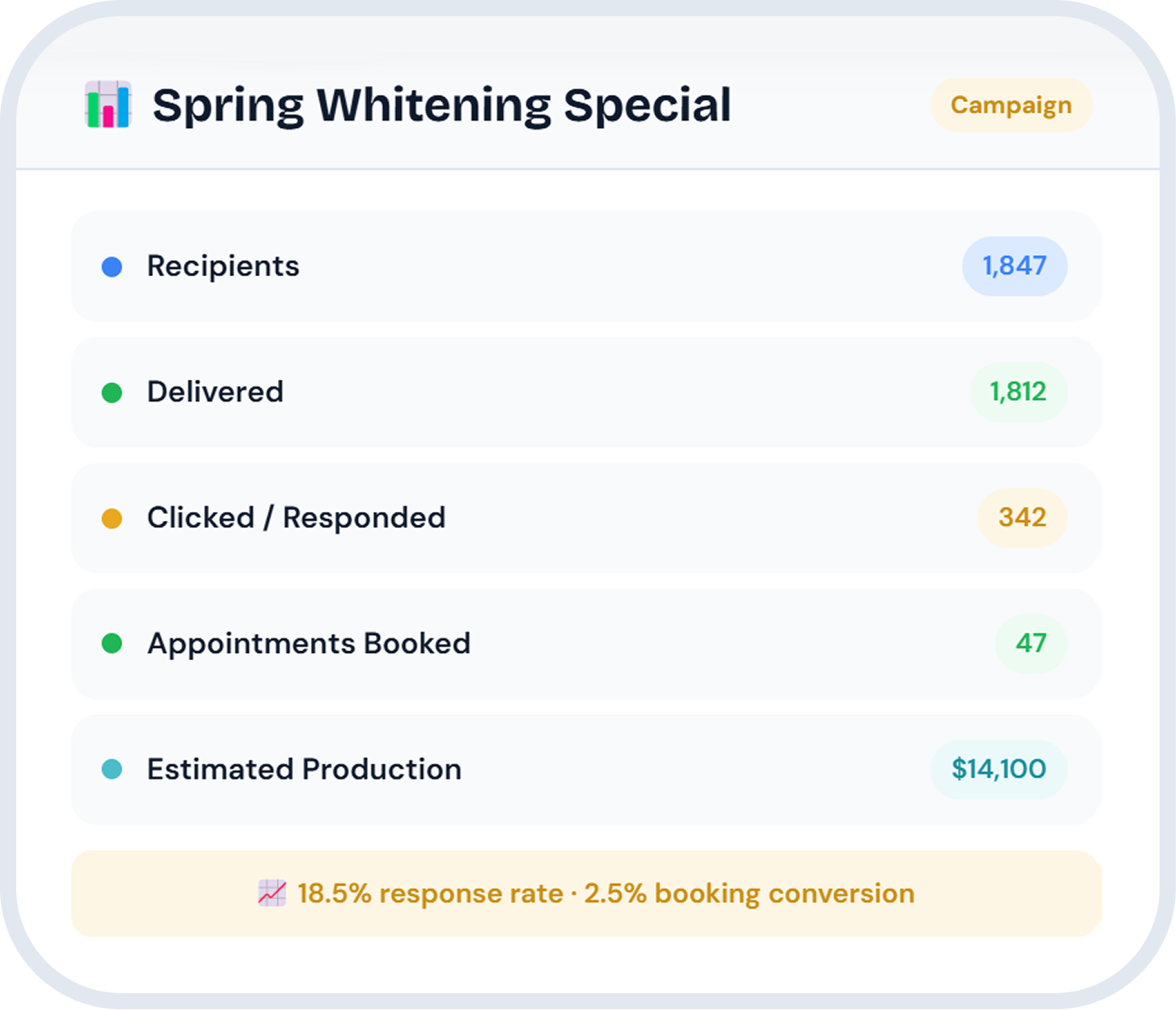
Compose a message, pick a segment, and schedule it. Each send includes the consent context, opt-out keywords, and the required identifiers expected in patient communication. Track delivery, replies, and downstream booking activity in one place.
"The team uses Patient Messaging to clear cancellations and run a monthly recall list. It moved campaign work out of personal cell phones and into one trackable place."Office Manager · multi-provider general practice
Marketing software is one piece of communication
Our dental marketing software shares consent state and threads with the rest of mConsent.
Communication
Reminders, recall, two-way SMS, and patient threads in one place. Patient Messaging is part of the broader Communication module.
Explore Communication Pair withReputation
Measure, monitor, and respond to public reviews. Pair recall and post-visit messaging with structured feedback collection.
Explore Reputation Pair withPaperless intake
Send forms via the same opted-in channel patients already use for messaging. Consent and intake live on one trail.
Explore intakePatient messaging questions, answered
When a slot opens, a staff member selects a segment of opted-in patients (e.g., hygiene-overdue adults near a particular location), edits the template, and sends. Replies route into the 2-way inbox where the front desk can confirm and book. The flow is designed to consolidate work that traditionally happens across phone, text, and email.
mConsent operates as a Business Associate under HIPAA and executes a Business Associate Agreement (BAA) with each customer. Patient Messaging is built around the administrative, physical, and technical safeguards expected of a Business Associate, including encryption in transit and at rest, role-based access, and audit logging.
SMS messaging is sent only to patients who have provided prior express consent to receive text messages from your practice. STOP and HELP keywords are honored, opt-out is respected across all message types, and a suppression list is maintained per practice. Practices are responsible for capturing valid consent at the point of intake or scheduling; mConsent provides the consent capture and audit trail to support that obligation.
Yes - 2-way SMS is built in. Replies route into a unified inbox attached to the patient record, so any team member with access can pick up the thread.
Quick Fill backfills, hygiene and treatment recall, birthday and holiday greetings, whitening and seasonal promotions, referral asks, and general office notifications. All campaigns share the same segmentation, opt-out, and reporting layer.
Patient Messaging is designed to work alongside Dentrix, Eaglesoft, Open Dental, and other major PMS products. Specific integration depth varies by PMS - the team can walk through what is supported on your stack during a demo.
Yes. Patient Messaging shares consent state and message history with mConsent's appointment-reminder workflow, so opt-outs and message context carry across both.
See Patient Messaging in your PMS, in 15 minutes
Walk through Quick Fill, the campaign builder, and 2-way SMS using sample patient data from your stack.
Important disclosures
Capability described on this page is illustrative based on typical configurations; actual results vary by Dentrix version, network, and practice. Pricing and program terms are governed by the MSA at activation. mConsent operates as a Business Associate under HIPAA and executes a BAA with client practices.
Footnotes referenced on this page. mConsent operates as a Business Associate under HIPAA and executes a Business Associate Agreement (BAA) with each customer. Patient Messaging is built with administrative, physical, and technical safeguards expected of a Business Associate. SMS messaging is sent only to patients who have provided prior express consent to receive text messages from the practice. STOP and HELP keywords are honored. mConsent supports Dentrix, Eaglesoft, Open Dental, and other major practice management systems; specific integration depth varies by PMS. Reply, booking, and appointment-back-write behavior depends on the practice's PMS configuration and integration scope.
About commercial claims. Statements on this page describe how Patient Messaging is designed to operate and the workflows it is intended to support. They are not service-level commitments, performance guarantees, or representations of any specific outcome - financial, scheduling, or otherwise. Any contractual obligations between mConsent and a customer are governed solely by the executed Master Services Agreement (MSA) and applicable order forms; in the event of conflict between this page and the MSA, the MSA controls.
About verified statistics. Where stats are referenced across mConsent's site (for example, the cumulative number of practices, patients served, documents processed, or appointments handled since 2017), those figures are aggregate program-wide totals and are not specific to any single practice or product module. They are not predictions of, or commitments to, results for any individual customer.
About patient testimonials and quotes. Quotes presented on this page are illustrative of feedback that mConsent has received and have been edited for length and clarity. Individual practice experiences vary materially based on patient base, staff workflow, PMS configuration, local regulation, and other factors. Results referenced by any individual practice are not typical and should not be assumed to be representative of the typical mConsent customer.
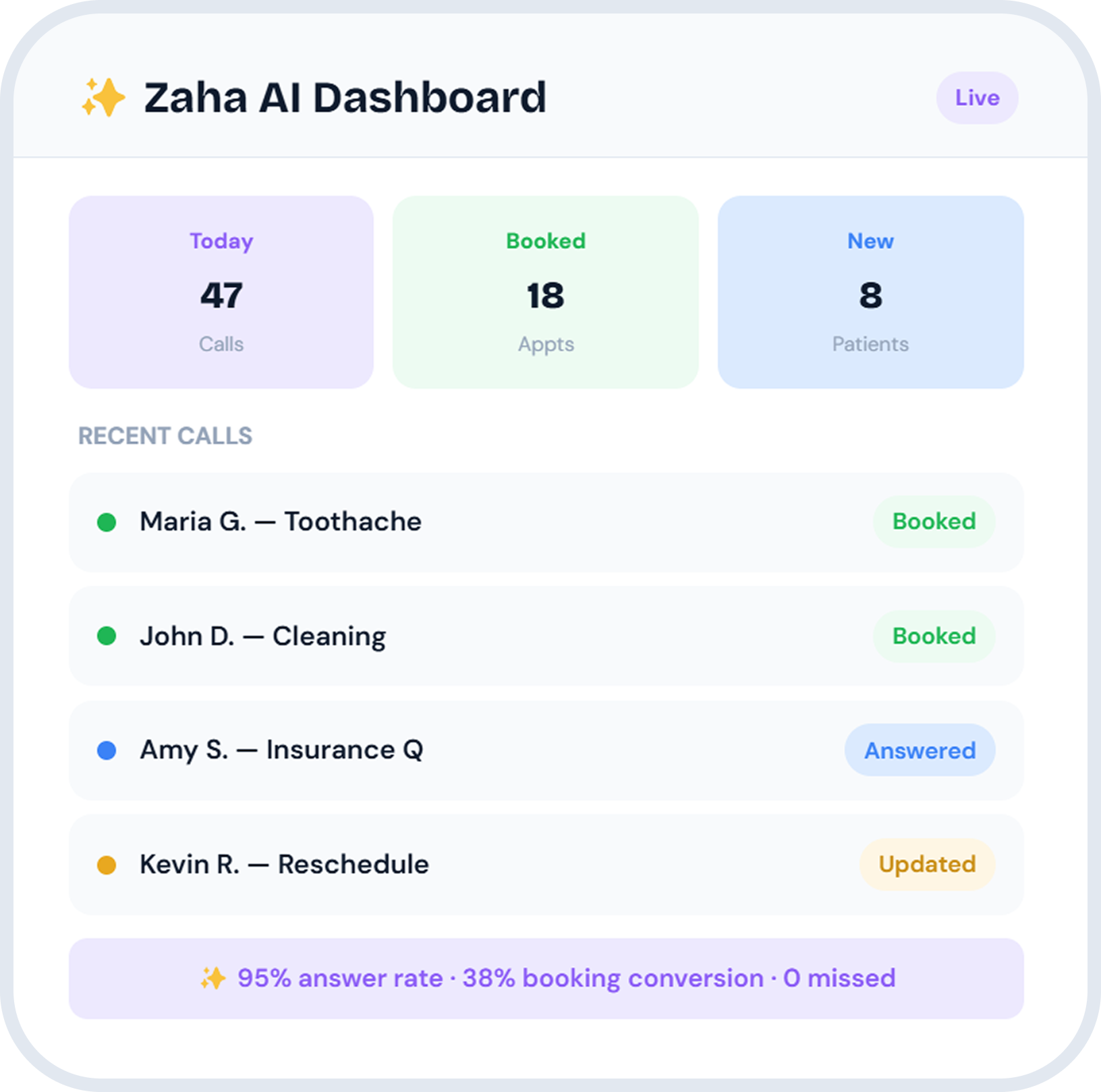
About product screenshots, dashboards, and sample data. Product interfaces shown on this page, including the Campaign Builder summary and the Zaha AI Dashboard, are illustrative displays for demonstration purposes only. All names, call logs, message counts, response rates, booking conversions, answer rates, and revenue figures shown are sample data and do not reflect actual results achieved by mConsent or any mConsent customer. Names shown in sample message threads or call logs are fictional. Actual performance varies by practice.
About TCPA, marketing, and patient communication. The practice (not mConsent) is the sender of record on patient communications and is responsible for obtaining and maintaining valid consent under the Telephone Consumer Protection Act (TCPA), CAN-SPAM, applicable state laws, and any carrier or platform program rules. Patient Messaging provides consent capture, suppression, opt-out keyword handling, and audit-trail tooling to support those obligations, but does not itself constitute legal compliance. Practices should consult counsel about the consent language and processes appropriate to their jurisdiction and patient population.
Trademarks. Dentrix is a registered trademark of Henry Schein One, LLC. Eaglesoft is a registered trademark of Patterson Dental Supply, Inc. Open Dental is a registered trademark of Open Dental Software, Inc. References on this page are made for compatibility-description purposes only and do not imply endorsement, partnership, or affiliation with the respective trademark owners.




