 Technology Partner
Run Dentrix Ascend your way. Let mConsent handle the rest. Less busywork at the front desk.
Your team keeps working in Dentrix Ascend while mConsent handles the tasks around it. Patient details, new patient records, signed forms, medical histories, alerts, and confirmations are automatically written back to Ascend. mConsent also reads your schedule to time reminders and keep patient communication on track.
 Technology Partner
Dentrix Ascend stays your home base. Manual tasks move out.
Nothing new to learn and no second window to watch. Patients complete forms and confirmations through mConsent, and the results automatically appear in Dentrix Ascend, right where your staff already works. This seamless Dentrix Ascend integration keeps your team’s workflow connected without adding extra steps.
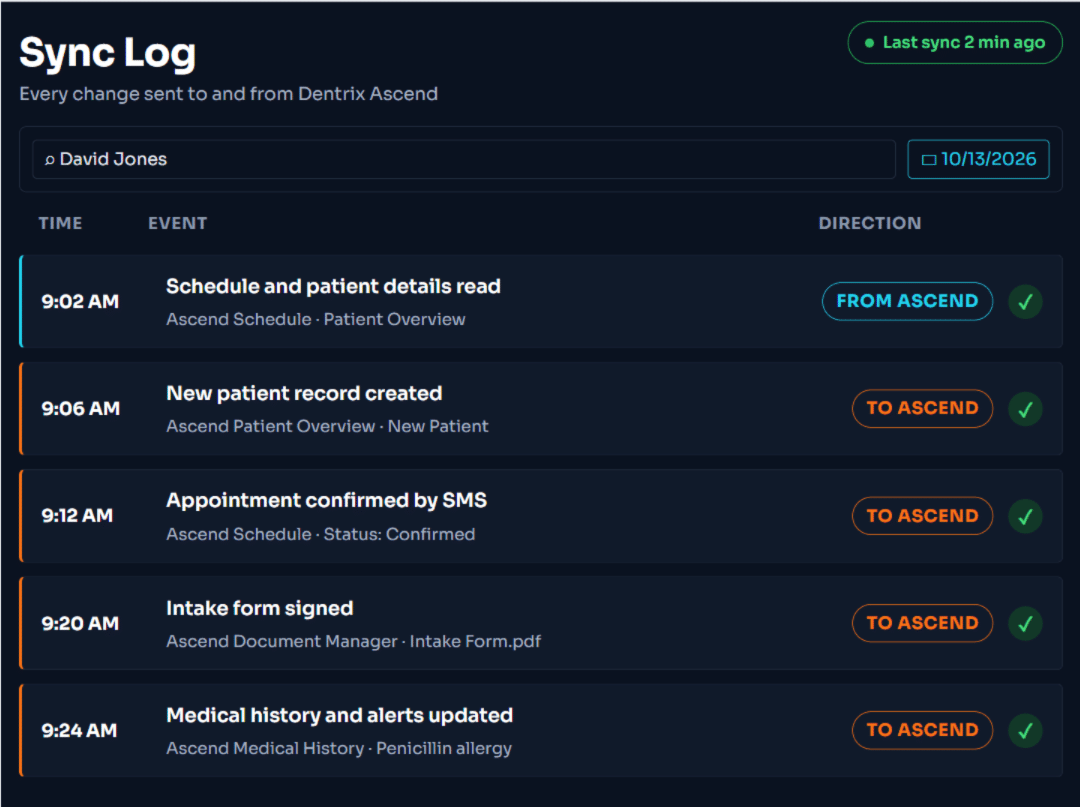
Dentrix Ascend data in, paperwork out.
Scanning forms, retyping medical histories, and calling patients to confirm appointments take time away from your front desk. mConsent handles these tasks automatically, keeping patient records and appointment details up to date in Dentrix Ascend. With Dentrix Ascend automation software, your team spends less time on manual work and more time helping patients.

How data moves between mConsent and Dentrix Ascend
Patients
2 syncsForms
2 syncsScheduling
3 syncsEvery sync, side by side.
Compare the mConsent and Dentrix Ascend screens for each sync to see exactly what data is shared, where it goes, and how it updates patient records. See how Dentrix Ascend integration keeps both systems connected and your team’s workflow running smoothly.
Accurate patient details, entered once
When patients update their address or phone number on a form, or your staff makes changes in mConsent, those updates are reflected in Dentrix Ascend. No duplicate data entry.
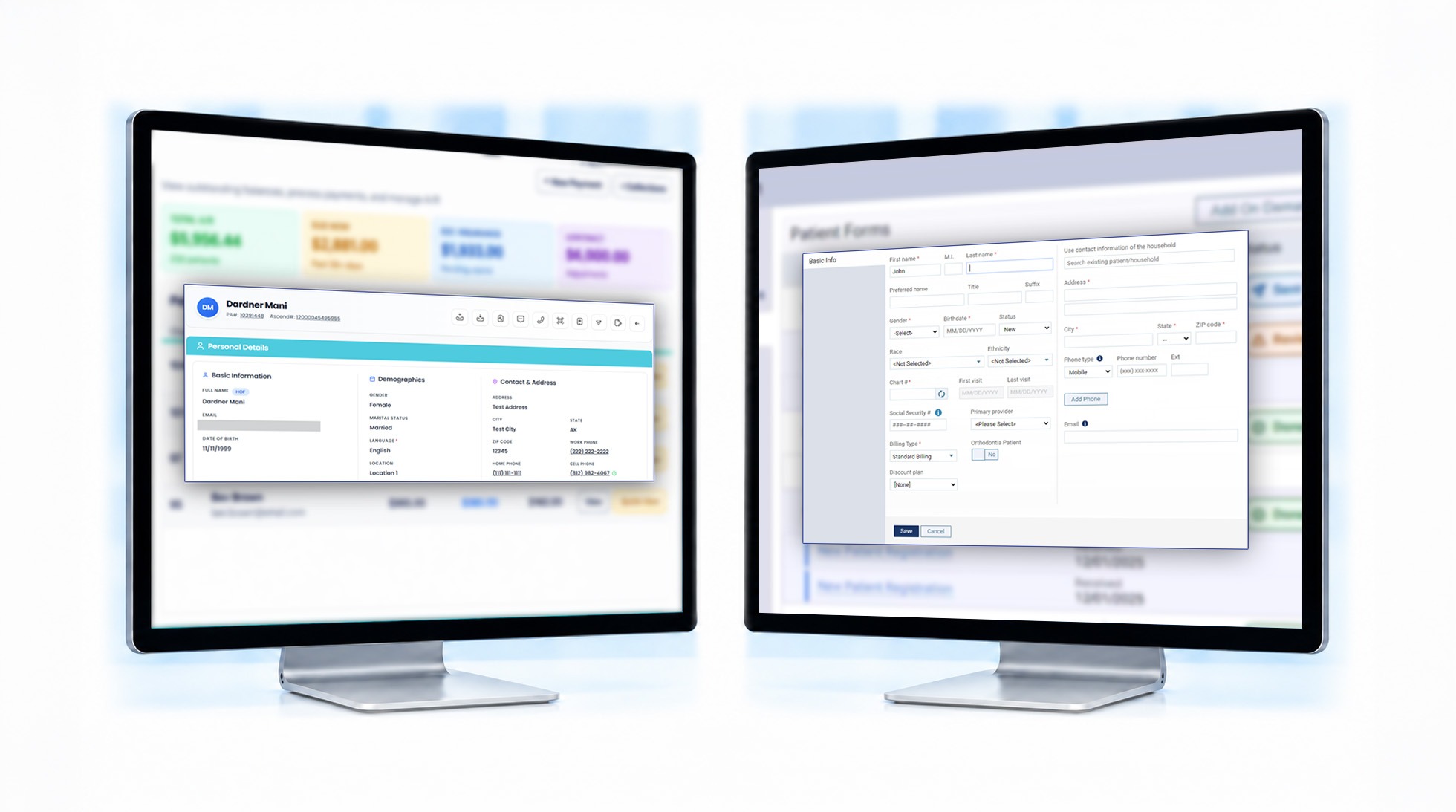
New patients set up before day one
New patients complete their paperwork from home, and their Dentrix Ascend profile is created before they arrive at the office.
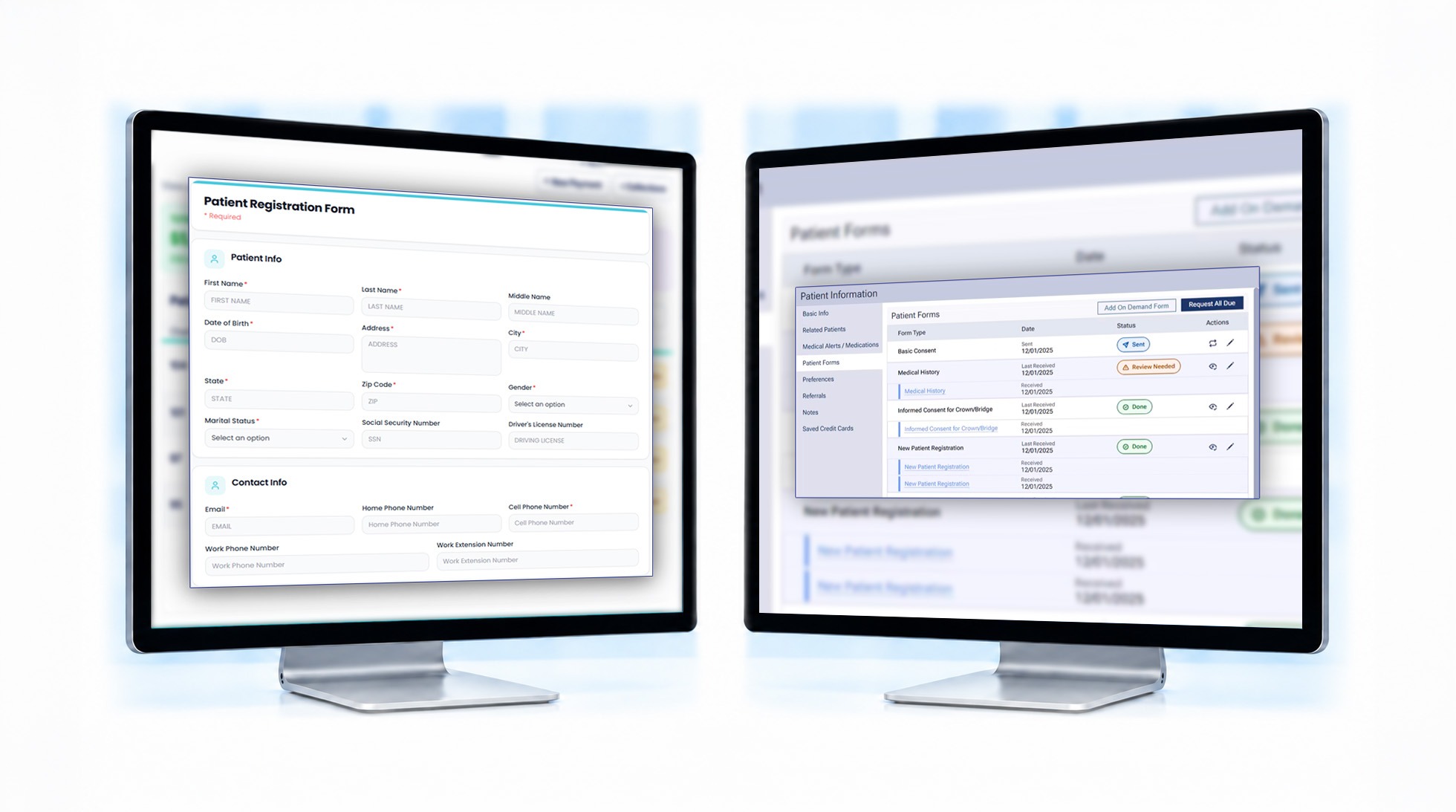
Paperwork filed automatically
Signed forms and card photos are saved directly to the patient’s record, ready for your team when they check in.
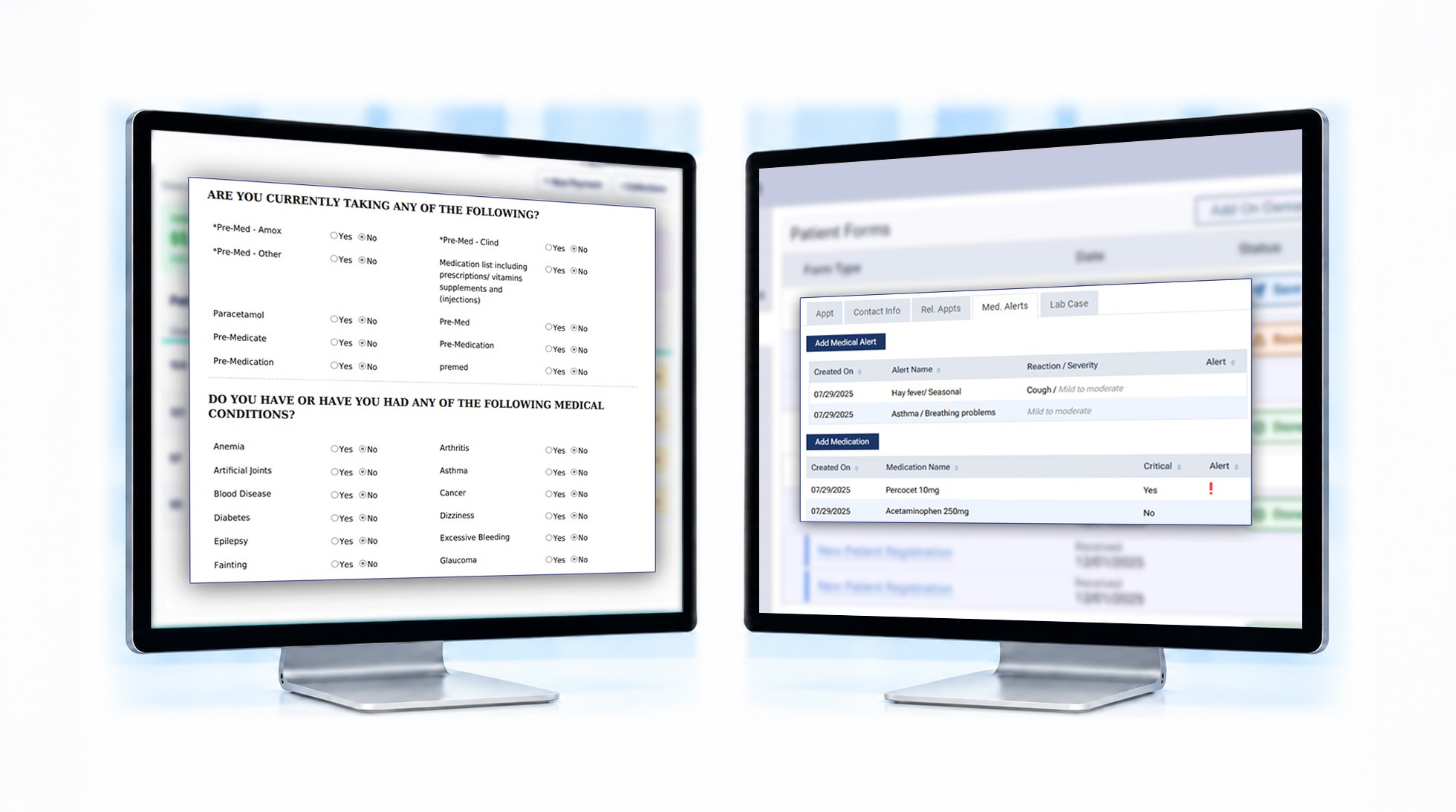
Health history in the chart, alerts where they matter
Medical history answers submitted through mConsent are saved to the patient’s Dentrix Ascend chart. Important conditions are also flagged as medical alerts, giving your team visibility before treatment.
Reminders sent automatically
mConsent uses the Dentrix Ascend schedule your team already manages to time appointment reminders and send the right pre-visit forms automatically.
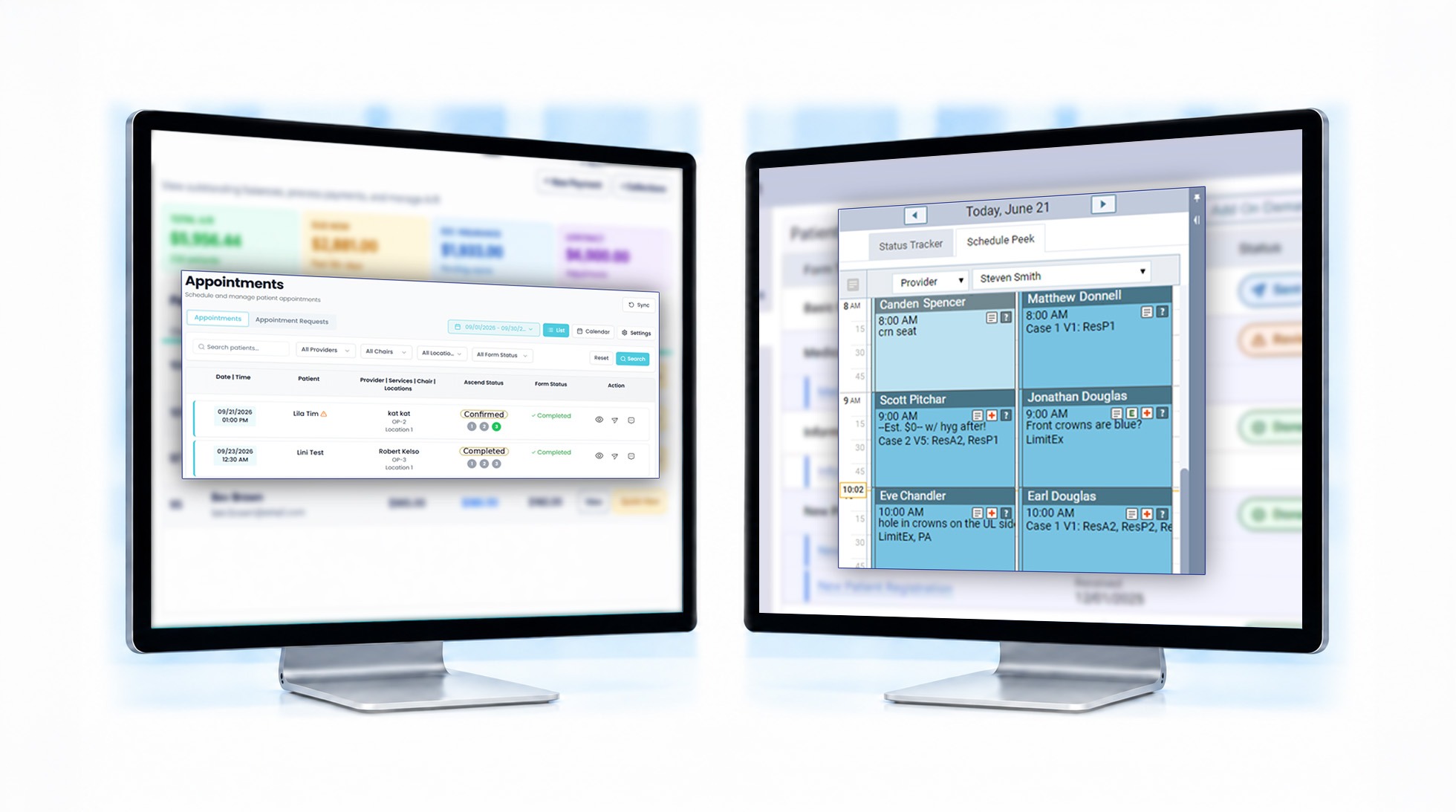
One appointment status across both systems
Whether your team confirms an appointment in Dentrix Ascend or mConsent, the status stays consistent across both systems. Patients only need to confirm once.
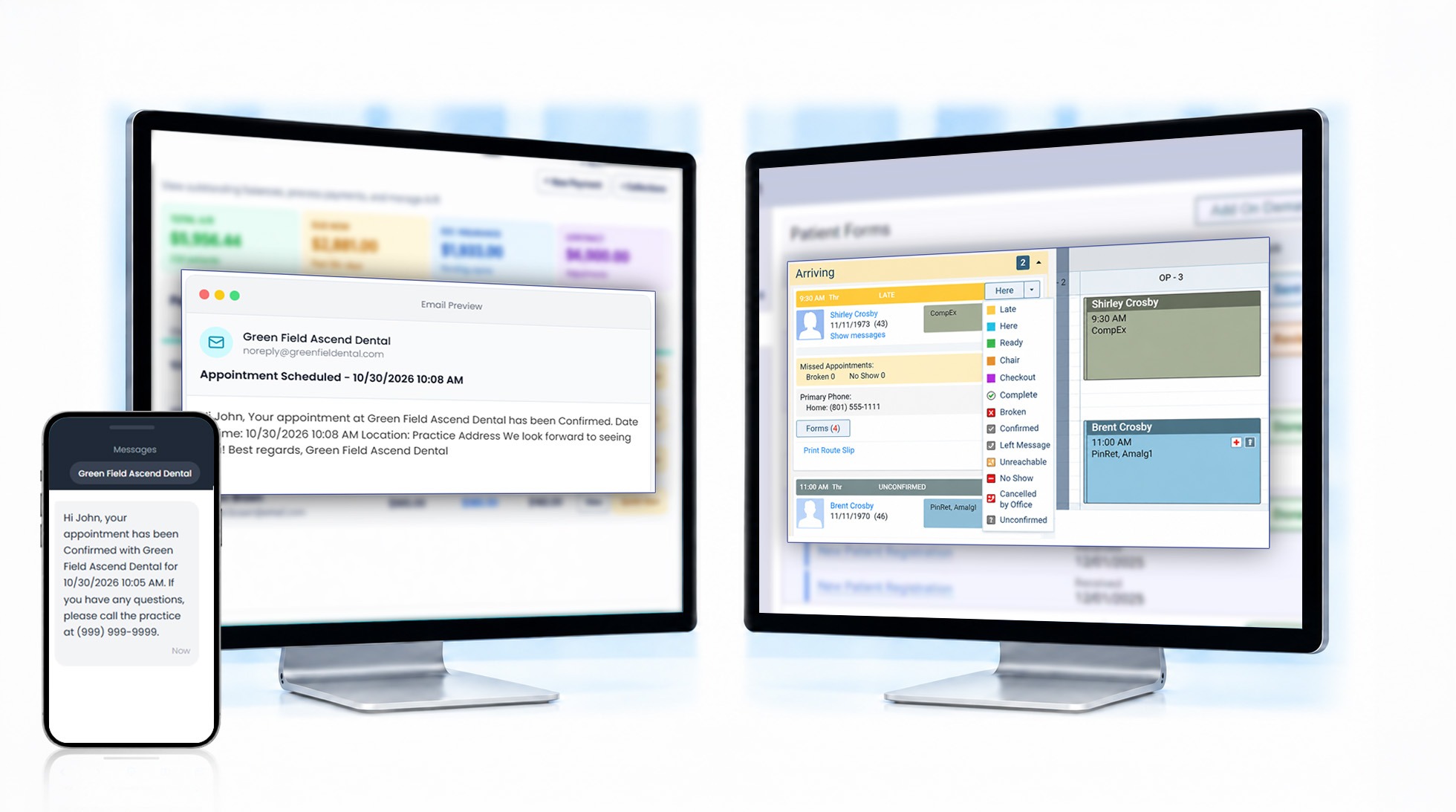
Confirmations without phone calls
Patients can confirm appointments by replying to a text or clicking a link in an email. Dentrix Ascend reflects the confirmation, so your team can spend less time making calls.
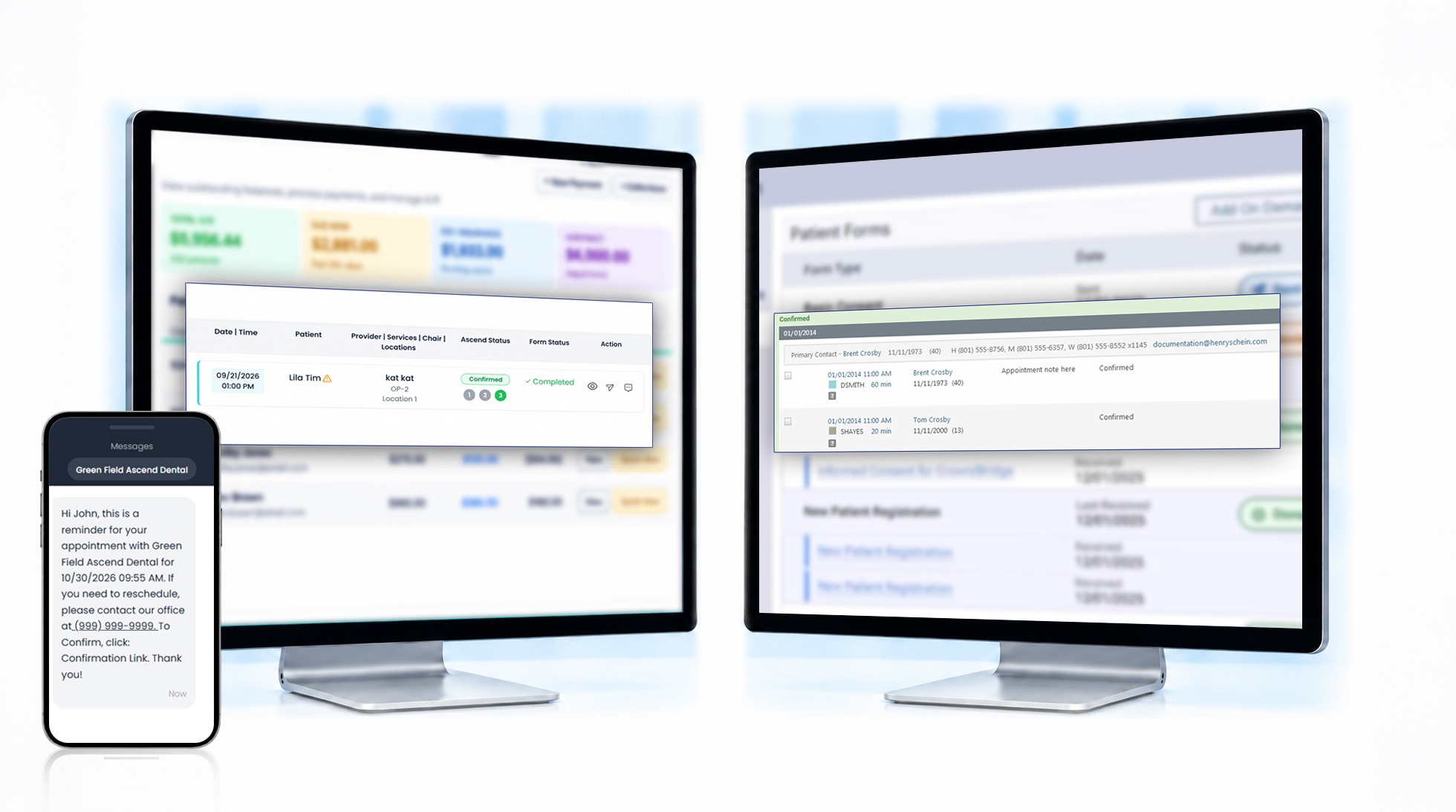
Every module works with your Dentrix Ascend data.
Each mConsent module works alongside Dentrix Ascend to reduce manual work across your practice. Our team configures everything for your workflow during onboarding.
Paperless Intake
Before their visit, patients complete forms, sign documents, and share their medical history from their phones. Completed forms are automatically filed in the patient’s Dentrix Ascend record.
Communication
Appointment reminders, confirmations, and two-way texting follow your Dentrix Ascend schedule, helping reduce no-shows and keep chairs filled. Texting consent is also collected and tracked automatically.
Dental Payments
Accept payments through text-to-pay links or a front desk payment terminal. Patients and parents can complete payments in seconds.
Zaha AI
An AI receptionist that handles routine scheduling calls 24/7, so new-patient calls don’t go unanswered when your office is busy or closed.
Insurance Verification
Real insurance verification specialists manage the service, contacting carriers to verify patient eligibility and benefits on your behalf and reducing the time your team spends on the phone.
More ways to use mConsent with Dentrix Ascend
Explore additional features your practice can use alongside Dentrix Ascend to manage patient communication, engagement, and everyday workflows.
Mass messaging
Reach targeted groups of patients using filters based on Dentrix Ascend data.
Patient reactivation
Identify patients who are overdue for a visit based on Dentrix Ascend records and send targeted messages to bring them back.
Review requests with auto-send
Automatically send review requests after completed appointments to encourage more patient feedback.
ePrescription
Send prescriptions directly to patients’ pharmacies from within mConsent.
Your Dentrix Ascend questions, answered.
Get answers to common questions about connecting mConsent with Dentrix Ascend and automating everyday practice workflows.
Dentrix, Eaglesoft, and Open Dental are supported too.
Do you have another location using a different practice management system? mConsent supports multiple PMS platforms, helping connect your workflows across locations. Our team will confirm compatibility and supported features during onboarding.
See how mConsent works with your Dentrix Ascend practice.
See how mConsent creates new patient records, files completed forms directly to patient records, and updates appointment confirmations in your Dentrix Ascend schedule. Get a quick demo tailored to your practice’s existing workflows.
Full Disclosures & Trademarks
Dentrix Ascend integration
mConsent integrates with Dentrix Ascend. The connection is set up and tested for each practice during onboarding to confirm that supported data reads and writes as expected.
Connector scope & capability
At this time, the Dentrix Ascend connection writes patient demographics, new patient records, signed forms and uploaded documents, medical history and medical alerts, and appointment status, and reads patient demographics and the appointment schedule. Available data fields, posting behavior, and supported workflows depend on your Ascend account configuration and options selected during onboarding. mConsent does not promise feature parity across every Ascend edition or environment, nor across every other PMS referenced on this page.
Product screenshots & UI mockups
Interface screens shown on this page are illustrative displays of intended functionality only. They do not reflect real patient or practice data, and the fields, labels, and status indicators shown may differ from your live environment based on your Ascend configuration and account settings.
SMS, voice & TCPA
Where any feature on this page sends a message to a patient — reminders, confirmations, payment links, or AI-assisted call workflows — the system is designed to capture express patient consent and to honor opt-out requests consistent with the federal Telephone Consumer Protection Act (TCPA), state messaging laws, and carrier requirements. The practice is responsible for the lawful use of these features — including how it obtains, records, and refreshes consent.
Pricing & MSA
All commercial terms — including pricing, included modules, available integrations, support hours, and uptime objectives — are governed by the master services agreement (MSA), order form, and applicable schedules executed between mConsent and the practice. Marketing copy on this page is descriptive of intended capability and does not modify or supersede those agreements. In any conflict, the executed agreements control.
Trademark attribution
Dentrix Ascend is a trademark of Henry Schein One. Open Dental is a registered trademark of Open Dental Software, Inc. Dentrix is a registered trademark of Patterson Dental Supply, Inc. Eaglesoft is a trademark of Patterson Dental, LLC. mConsent is an independent software vendor and is not affiliated with Henry Schein One. Reference to these systems on this page is for identification purposes only.
HIPAA & protected health information
mConsent operates as a Business Associate under HIPAA and executes a Business Associate Agreement (BAA) with each customer. Patient information processed through Ascend-connected workflows — intake, scheduling, and payments — is handled under the terms of the BAA, the practice’s Notice of Privacy Practices, and applicable federal and state laws. The practice remains responsible for its own use of the platform, including the consents it relies on.
Verified figures & forward-looking language
Aggregate platform figures referenced on this page are limited to: 5,000+ practices served since 2017, 5.5M+ patients, 30M+ documents processed, and 11M+ appointments handled across the platform. They reflect lifetime cumulative totals from mConsent system logs since 2017 and are not annualized. They are not a forecast or guarantee of any individual practice’s results. Phrases such as “designed to,” “intended to,” “built to,” and similar describe how a feature is engineered to behave in typical configurations and are not promises of any specific outcome, response time, or revenue impact for any individual practice. Outcomes vary based on practice size, configuration, staffing, and external factors outside mConsent’s control.
Testimonials & case studies
Any testimonials or case studies referenced on this page or elsewhere on the mConsent site represent individual practice outcomes and are not typical results. Your results may differ. mConsent makes no representation that any particular practice will achieve similar outcomes.