


The patient check-in process sets the tone for the entire dental visit experience. Yet many practices still rely on outdated, cumbersome paper forms that bottleneck reception and create negative first impressions. By implementing a digital check-in system, your office can transform this crucial moment to boost efficiency, accessibility, and satisfaction.
Transitioning to an automated and paperless check-in is one of the smartest investments your dental practice can make. Your patients will appreciate the modern, convenient experience while your team benefits from optimized workflows.
In this blog, we’ll explore the top 10 advantages of upgrading to digital check-in. From self-service kiosks to mobile apps, read on to learn how modern intake can revolutionize your practice!
1. Faster Check-In Times
Digital check-in systems allow patients to verify their personal information and appointment details in seconds right from the lobby. This creates a seamless experience without lengthy paper forms, reducing wait times significantly.
2. Streamlined Patient Identification
Options like QR code check-in, ID barcode scans, or integration with practice apps identify patients instantly upon arrival. This boosts convenience, security, and efficiency.
3. Automated Workflow Integration
The patient’s digital check-in data integrates directly into popular practice management software, auto-populating forms, charts, and documents to eliminate manual data entry. This saves massive administrative time.
4. Enhanced Front Desk Experience
With a tablet-based check-in system, front desk staff deliver five-star hospitality and focus completely on patient service rather than paperwork.
5. Real-Time Updates
Digital systems provide real-time check-in confirmations via text, appointment reminders, and even wait time updates to keep patients informed.
6. Customizable Platform Options
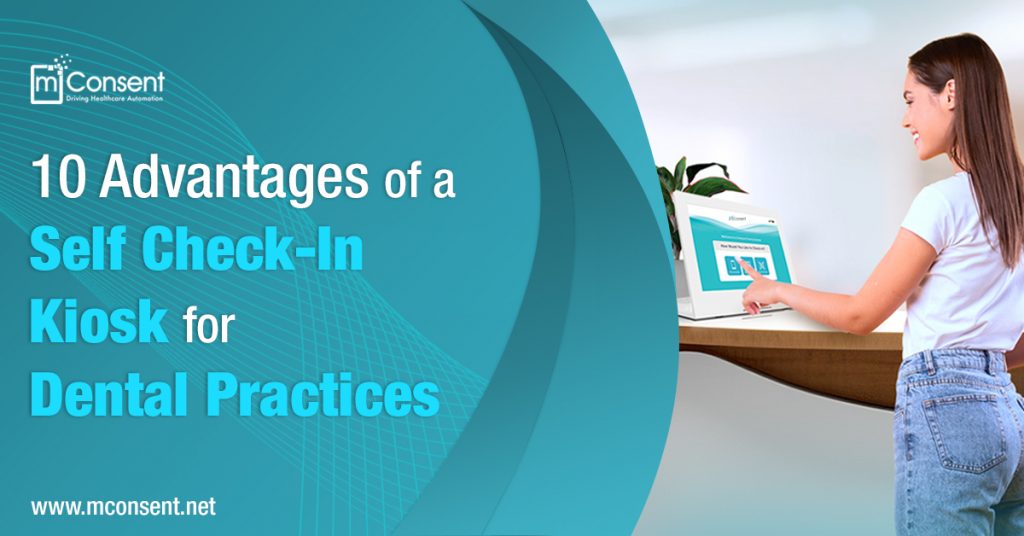
Based on your preferences, digital check-in can be implemented via self-service kiosks, wall-mounted tablets, mobile apps, web portals, and more.
7. Improved Data Collection
The digital process allows easy collection of patient information like demographics, insurance, health history, contact details, and more during check-in.
8. Analytics for Insights
Robust reporting provides reception traffic analysis, check-in volume patterns, peak times, and other data to optimize efficiency.
9. Seamless Mobile Integration
Checking in via smartphone allows patients more convenience and flexibility through QR code scans or GPS location-based sign-in.
10. Enhanced Accessibility
Digital options improve accessibility with features like screen readers, magnifiers, translations, and integrations with accessibility apps.
As today’s patients demand faster, smoother, and more automated dental visits, digital check-in systems are becoming necessities rather than luxuries for practices. The benefits ranging from reduced wait times to robust analytics demonstrate why old-fashioned clipboards can’t compete.
By providing patients with a cutting-edge experience, like the Self Check-In Kiosk by your office makes memorable first impressions. Meanwhile, your team is freed up to focus on excellent clinical care. Prioritizing your check-in process with digital capabilities ensures your dental practice is positioned for lasting success.