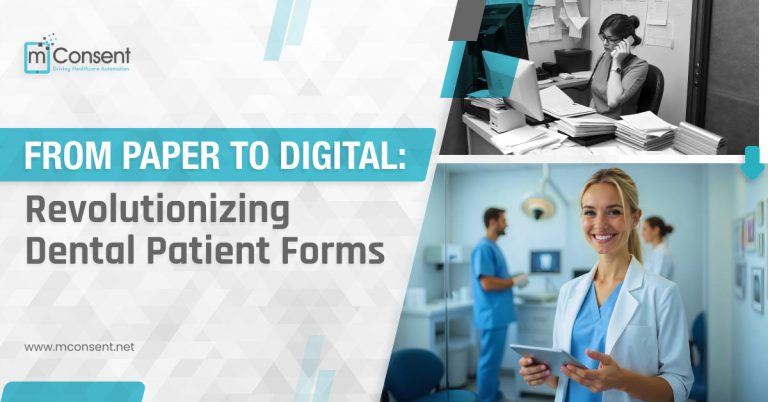



Countless dental offices rely on paper forms and clipboards to register patients. But manual check-in processes lead to major inefficiencies and headaches. This article explores 10 specific challenges of paper check-in and how digital solutions can transform your workflows.
 Once forms are turned in, staff must manually transcribe all the paper information into digital patient records – a redundant double duty. From names and contact info to health histories, every detail must be laboriously re-typed out.
Digital systems sync directly with your practice management software, eliminating the need to re-enter any data. Information flows instantly without staff having to do the work twice.
Once forms are turned in, staff must manually transcribe all the paper information into digital patient records – a redundant double duty. From names and contact info to health histories, every detail must be laboriously re-typed out.
Digital systems sync directly with your practice management software, eliminating the need to re-enter any data. Information flows instantly without staff having to do the work twice.
 Paper records can be easily removed, stolen, copied, or lost – compromising sensitive patient data. Online forms offer far greater security with password protection and encryption.
Only authorized staff can access the information, and it can’t be physically removed. Digital storage is also more secure if protected properly.
Learn more about important things about online Patient intake forms.
Paper records can be easily removed, stolen, copied, or lost – compromising sensitive patient data. Online forms offer far greater security with password protection and encryption.
Only authorized staff can access the information, and it can’t be physically removed. Digital storage is also more secure if protected properly.
Learn more about important things about online Patient intake forms.
 The cumulative environmental impact of mass paper usage is detrimental, generating immense waste and pollution. As eco-consciousness grows, paper forms seem increasingly antiquated.
Digital registration shrinks your office’s carbon footprint for a greener operation.
The cumulative environmental impact of mass paper usage is detrimental, generating immense waste and pollution. As eco-consciousness grows, paper forms seem increasingly antiquated.
Digital registration shrinks your office’s carbon footprint for a greener operation.
1. Illegible Handwriting Slows Staff Down
Patients complete paper forms by hand, often resulting in messy, tough-to-decipher penmanship. Squinting to interpret sloppy writing wastes valuable staff time and mental energy. Even worse, illegibility can lead to data entry errors getting patient information into your practice management system. Digital check-in uses tidy text fields patients complete clearly on tablets or kiosks. The information seamlessly transfers to your system without staff having to puzzle over scribbles.2. Duplicating Data Entry is Inefficient
Once forms are turned in, staff must manually transcribe all the paper information into digital patient records – a redundant double duty. From names and contact info to health histories, every detail must be laboriously re-typed out.
Digital systems sync directly with your practice management software, eliminating the need to re-enter any data. Information flows instantly without staff having to do the work twice.
3. Difficulty Locating Misfiled Paperwork
In hectic offices, paper forms inevitably get misplaced. Trying to track down a form in overflowing charts or file cabinets eats up time staff could otherwise spend on patient care. Plus, lost forms mean starting over with new ones. With online registration, forms are always easily accessible from any web-connected device. There’s no wasted time rummaging for misfiled documents.4. Paper Forms Pose Data Security Risks
Paper records can be easily removed, stolen, copied, or lost – compromising sensitive patient data. Online forms offer far greater security with password protection and encryption.
Only authorized staff can access the information, and it can’t be physically removed. Digital storage is also more secure if protected properly.
Learn more about important things about online Patient intake forms.
5. Bulky Files Consume Precious Space
It’s not long before stacks of paper forms take over precious real estate in your office. Before you know it, every drawer and cabinet overflows with files. Digital forms free your office from the constraints of physical storage. This liberates space that can be better utilized for more productive areas like treatment rooms.6. Staff Cannot Access Simultaneously
Only one team member can view or work with a paper form at a time. If someone needs it, they have to track it down. With instant access from any internet-connected device, multiple staff can view and update electronic forms simultaneously. Digital registration makes patient information readily available to your whole team.7. Generic Forms Lack Customization
Off-the-shelf paper forms use basic fields that often don’t fit dental office needs. They fail to capture all the details you require. Digital check-in lets you fully customize forms with your branding, required fields, and tailored language for collecting relevant patient information.8. Changes Mean Printing New Batches
Updating paper forms requires manually replacing outdated ones – and reprinting expensive batches every time a change occurs. Electronic forms allow quick updates to forms with just a few clicks. Alterations to questions, fields or branding get pushed out in real-time without any printing costs.9. Significant Paper Waste Damages Environment
The cumulative environmental impact of mass paper usage is detrimental, generating immense waste and pollution. As eco-consciousness grows, paper forms seem increasingly antiquated.
Digital registration shrinks your office’s carbon footprint for a greener operation.
10. Poor First Impression of Patients
Handing patients a clipboard feels outdated and creates an unfavorable first impression. Patients expect more modern service experiences. Digital check-in with sleek tablets makes your office appear tech-savvy, forward-thinking and higher-end. Patients appreciate the convenience too. Bring Your Front Office Into the 21st Century Don’t let paper check-in remain a bottleneck limiting your dental practice. Go digital to:- Boost efficiency by eliminating redundant data entry
- Improve accessibility of patient information
- Enhance security with password protection and encryption
- Free up space wasted on bulky files
- Fully customize forms for your unique needs
- Update forms instantly without printing costs
- Embrace eco-friendly registration
- Wow patients with a modern digital experience