



Your patient just said yes to a $2,400 treatment plan. Then your front desk hands them a confusing paper estimate, tells them insurance “should” cover part of it, and asks them to call back once billing sorts it out.
That patient doesn’t remember the flawless crown prep. They remember the confusion at checkout.
Dental patients now expect the same frictionless experience they get from every other part of their digital life: one-tap payments, instant text confirmations, and total clarity on what they owe and why. When a practice still runs on paper statements, manual invoices, and phone-call collections, it doesn’t just slow down the front desk. It quietly erodes the trust a great clinical visit just built.
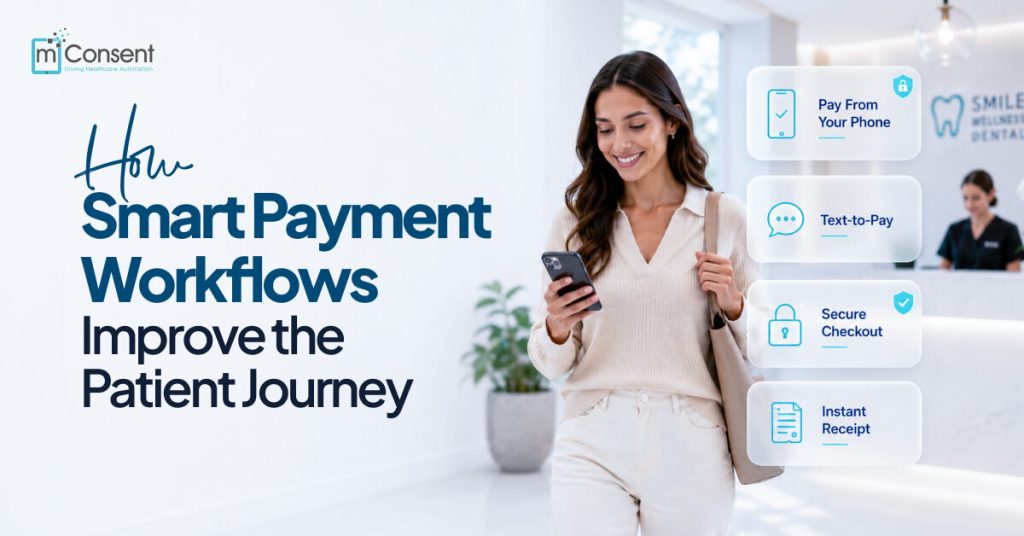
Smart payment workflows fix this by automating the entire financial journey using insurance verification, treatment estimates, digital payments, reminders, and receipts so payments stop being an afterthought and start becoming part of the patient experience. Platforms like mConsent build this automation directly into the practice’s daily workflow, helping teams collect faster while giving patients the transparency they expect.
This guide breaks down exactly how smart payment workflows improve every stage of the patient journey and what that means for your collections, your case acceptance, and your front-office workload.
See it in action in 15 minutes.
The Patient Journey Doesn’t End at the Dental Chair
Most practices obsess over the clinical experience and treat billing as a back-office afterthought. But the patient journey actually runs much longer:
- Searching for a provider and booking online
- Completing intake forms
- Insurance verification
- Appointment reminders
- Check-in and consultation
- Cost estimate and treatment decision
- Payment
- Follow-up care and rebooking
Every one of those touchpoints shapes how a patient feels about your practice, and billing is often the last impression they walk away with. One confusing invoice can undo an otherwise five-star visit.
What Patients Actually Remember
Ask any office manager what generates the most complaints, and it’s rarely clinical care. It’s:
- Surprise bills they didn’t see coming
- Insurance explanations that don’t add up
- Long waits at checkout
- Paper statements that show up weeks later
- Payment processes that feel like a hassle
A clean, transparent payment experience does more than collect revenue; it builds the trust that brings patients back for their next cleaning, their next treatment plan, and their next referral.
What Is a Smart Payment Workflow?
A smart payment workflow is the automated replacement for every manual billing task your team currently does by hand: insurance checks, estimates, invoicing, reminders, and payment collection.
Instead of staff manually verifying benefits, typing up estimates, and chasing balances by phone, the workflow handles it automatically:
- Real-time insurance verification
- Personalized treatment estimates
- Digital invoices and text-to-pay links
- Online payment portals
- Automated reminders
- Payment plans and recurring billing
- Digital receipts
The result: less manual work for your team, and a faster, clearer experience for your patients.
Why the Old Way Keeps Costing You Money
If your practice still relies on paper statements, manual invoices, collection calls, and disconnected payment systems, you’re not just working harder; you’re losing revenue. These outdated processes reliably produce:
- Confused patients who don’t pay because they don’t understand what they owe
- Missed payments that pile up into aging receivables
- Hours of staff time spent chasing balances instead of serving patients
- Preventable drops in patient satisfaction
The fix isn’t more phone calls. It’s automation that removes the friction before it starts.
The Building Blocks of a Smart Payment Workflow
A complete payment workflow connects every financial touchpoint into one seamless system:
- Insurance eligibility verification: Confirm coverage before the patient ever sits in the chair
- Accurate treatment estimates: Clear, personalized cost breakdowns
- Digital consent: Secure electronic sign-off on treatment and financial responsibility
- Flexible payment options: Cards, ACH, digital wallets, and payment plans
- Automated communication: Reminders and updates that don’t rely on staff memory
- Secure payment processing: Fast, convenient transactions from any device
- Real-time payment tracking: Visibility into balances as they change
- Follow-up automation: Gentle nudges that get bills paid without an awkward phone call
How Smart Payment Workflows Transform Every Stage of the Journey
Before the Appointment
1. Automated Insurance Verification: Real-time eligibility checks confirm active coverage, deductibles, annual maximums, waiting periods, and covered procedures before treatment begins. That means fewer billing surprises, more trust, and better treatment planning from day one.
2. Digital Cost Estimates: Patients see exactly what insurance covers, what they owe, and what financing or payment plans are available. Transparency here does more for case acceptance than any sales pitch; patients say yes when they understand what they’re saying yes to.
3. Digital Intake Forms: Forms completed online before arrival mean faster check-in, less paperwork, fewer data-entry errors, and a stronger first impression the moment the patient walks in.
During the Appointment
4. Real-Time Financial Conversations: Your team can confidently walk patients through insurance benefits, treatment costs, and payment options on the spot because the numbers are already accurate and in front of them.
5. Immediate Digital Payments: No more waiting on a mailed invoice. Patients pay at checkout from a mobile device, a secure payment link, or a contactless terminal and convenience like this directly improves collection rates.
6. Flexible Payment Plans: Large balances are one of the biggest reasons patients delay or decline treatment. Monthly installments, automatic recurring payments, and interest-free financing (where available) remove that barrier so patients get care without financial stress and you get case acceptance without the follow-up chase.
After the Appointment
7. Automated Payment Reminders: Reminders go out before due dates, on due dates, and after a missed payment automatically, without a single staff phone call. Consistency here is what actually moves the needle on on-time payments.
8. Digital Statements: Secure invoices, balance summaries, payment history, and receipts all accessible from whatever device the patient prefers.
9. Text-to-Pay: A secure payment link sent by SMS gets opened and acted on far faster than an email or a mailed statement. One tap, and the balance is paid.
10. Ongoing Communication: Automated updates on remaining balances, upcoming installments, insurance changes, and future appointments keep the relationship warm long after the visit ends.
What Patients Get Out of It
- Financial transparency: Costs are clear before treatment starts
- Convenience: Pay anytime, from any device
- Flexibility: Choose the payment option that fits their budget
- Less stress: No surprise bills, no confusing statements
- Faster service: Shorter checkout, no waiting on paperwork
- More trust: Clear communication builds confidence in your practice
What Your Practice Gets Out of It
- Higher treatment acceptance
- Faster collections and lower Accounts Receivable
- Less administrative workload on your front desk
- Stronger, more predictable cash flow
- Better patient retention
- Higher staff productivity
- A stronger online reputation, driven by a smoother patient experience
Common Payment Problems and the Automated Fix
| The Problem | The Smart Workflow Solution |
| Patients don’t know what they owe | Automated treatment estimates before the appointment |
| Patients forget to pay | Automated reminders + recurring payment options |
| Collections are slow | Online payments + text-to-pay |
| Billing eats staff time | Automated invoicing, reminders, receipts, and tracking |
| Patients delay treatment over cost | Financing and flexible payment plans |
| Billing feels confusing | Transparent digital statements with clear cost breakdowns |
How to Know It’s Working: KPIs to Track
Don’t just assume your payment workflow is performing, measure it:
- Patient collection rate: The percentage of balances actually collected
- Days in Accounts Receivable: How quickly outstanding balances get paid
- Treatment acceptance rate: How estimates translate into accepted treatment
- Online payment adoption: How many patients choose digital over paper
- Patient satisfaction scores: Direct feedback on the billing experience
- Administrative time saved: The hours your team gets back from manual billing
Real Results: What Changes After Implementation
Practices that roll out automated insurance verification, digital estimates, online payments, text-to-pay, automated reminders, and flexible payment plans consistently report the same outcomes within months:
- Faster collections
- Reduced Accounts Receivable
- Higher patient satisfaction
- Increased treatment acceptance
- A noticeably more efficient front office
Best Practices for Building a Smart Payment Workflow
- Verify insurance before every appointment: Don’t let a coverage surprise show up at checkout.
- Communicate costs clearly: Transparent estimates set the right expectations early.
- Automate routine communication: Let SMS and email handle reminders, invoices, and receipts.
- Make mobile payments effortless: Every payment link should work flawlessly on a phone.
- Review your metrics regularly: Treat collection performance like any other KPI you optimize.
How mConsent Powers a Smarter Payment Experience
mConsent brings the entire financial journey into one connected platform, so your team isn’t stitching together separate tools for verification, estimates, payments, and follow-up.
With mConsent, practices get:
- Real-time insurance verification
- Digital treatment estimates
- Online patient payments
- Secure text-to-pay
- Automated payment reminders
- Flexible payment plans
- Digital forms and consent
- Built-in patient communication tools
- Real-time reporting and analytics
Instead of managing five disconnected systems, your team runs one workflow and your patients get a payment experience that matches the quality of your clinical care.
Where Payment Automation Is Headed Next
The next wave of dental payment technology is getting even more predictive and personal:
- AI-powered payment recommendations tailored to each patient’s preferences and history
- Predictive revenue analytics that flag at-risk balances before they go overdue
- Personalized payment journeys with reminders and offers based on individual behavior
- Conversational payments through AI-powered virtual assistants
- Fully integrated revenue cycle automation connecting scheduling, verification, treatment planning, payments, and reporting into one workflow
Practices that adopt these tools early won’t just collect faster; they’ll build a financial experience that keeps patients coming back.
Conclusion
Every outdated billing touchpoint a paper statement, a confusing invoice, a collections call chips away at the trust your dental practice team just earned. Smart payment workflows close that gap. Real-time insurance verification, clear estimates, digital payments, and automated reminders turn your billing process from a source of friction into a reason patients trust and recommend your practice.
For your practice, that means higher case acceptance, faster collections, lower A/R, and a front office that isn’t buried in manual billing work. For your patients, it means clarity, convenience, and one less reason to put off care.
Ready to see it in action?
Book a demo and see how automated insurance verification, digital estimates, and online payments can transform your patient payment experience starting with your very next appointment.
Frequently Asked Questions
1. What is a smart payment workflow in dentistry?
A smart payment workflow is an automated process that streamlines insurance verification, treatment estimates, billing, reminders, online payments, and payment tracking to improve the patient financial experience.
2. How do smart payment workflows improve the patient journey?
They provide clear cost estimates, flexible payment options, automated communication, and convenient digital payment methods, reducing confusion and improving satisfaction at every step.
3. Can payment automation increase treatment acceptance?
Yes. When patients understand their financial responsibility upfront and have flexible payment options, they’re far more likely to move forward with recommended treatment.
4. How do automated payment reminders help dental practices?
They reduce missed payments, lower Accounts Receivable, improve collection rates, and cut down on the staff time spent chasing balances by phone.
5. What payment options should modern dental practices offer?
Credit and debit cards, ACH transfers, digital wallets, online payment portals, contactless payments, text-to-pay, and recurring payment plans give every patient a way to pay that fits how they already live.