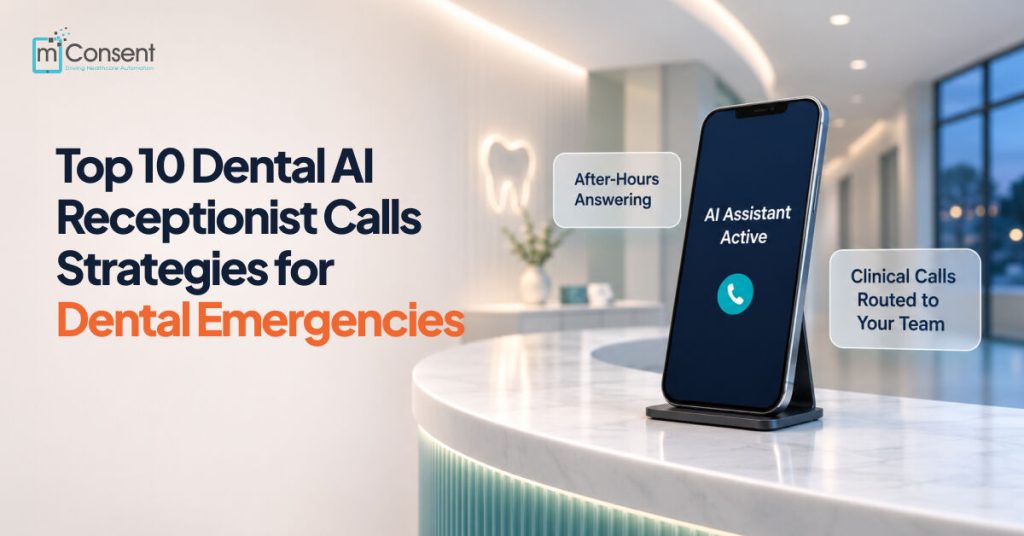




An AI dental receptionist should answer emergency calls immediately and state upfront that it’s AI. It should collect the caller’s details and immediately route any clinical concern to a person. It should never diagnose pain or decide how urgent a case is. The dentist sets the escalation rules, and every call is logged so the team can review it the next morning.
If a patient has had a throbbing tooth for two days and wants to know whether to come in tonight, and the call goes to voicemail, they’ll probably try the next practice that answers or go to an emergency room that can treat the pain but not the tooth.
The American Dental Association counts more than 2 million emergency department visits a year for dental pain, costing about $1.6 billion. The ADA notes that much of that care could happen in a dental office instead. For your practice, the phone is the difference between those two outcomes.
A well-set-up dental AI receptionist picks up every one of those calls. The setup matters as much as the technology, though. These 10 call strategies will help any AI receptionist for dentists handle emergencies safely, keep patients informed, and keep clinical decisions with your clinical team.
What Is an AI Dental Receptionist?
An AI dental receptionist is a voice assistant that answers your practice’s phone when your team can’t. It greets callers, answers common questions, books routine appointments, and transfers calls to staff when a person is needed. A good dental virtual receptionist is trained on dental workflows, so it knows the difference between a cleaning request and a call about a swollen jaw.
Most practices use AI phone answering for dentists after hours, on weekends, at lunch, and during the busiest times.
Never Miss Another Patient Call with AI
1. Cover the Hours When Emergencies Happen
Dental emergencies tend to come in during predictable windows: evenings, weekends, the lunch hour, and the mid-afternoon rush when the front desk is checking out patients. Set your AI receptionist for dental offices to answer during those exact windows, so callers hear a voice instead of a recording.
For many practices, this one change does the job of an after-hours dental answering service, and your team keeps the daytime phones.
2. Say It’s AI in the First Sentence
A patient in pain doesn’t want to be misled about who they’re talking to. Your dental virtual receptionist should introduce itself as the practice’s AI assistant before anyone asks, and confirm it again if asked.
Several states now have laws requiring AI disclosure, and patients trust a system more when it’s honest about what it is. Telling callers up front also sets the right expectation: the AI can take their details and connect them with someone who can help.
3. Let Your Dentist Write the Escalation Rules
Deciding what counts as an emergency is clinical judgment, so the dentist owns it. Before you go live, write three lists:
- Calls that go to the on-call dentist right away
- Calls that need a same-day callback
- Calls that can wait until the next business day
The AI follows these standing instructions the same way on every call, at 2 a.m. as much as at 2 p.m. Review the lists every few months as your team learns from real calls.
4. Route Clinical Calls Instead of Triaging Them
The safest AI dental receptionist doesn’t try to judge how bad a toothache is. When a caller mentions pain, swelling, bleeding, or an injury, it should flag the call as clinical and send it to a person right away.
Patients rarely describe symptoms in clinical terms. “My face is puffy” or “I can’t get comfortable” can be early signs of a spreading infection. Those words need to reach someone with clinical training, and the call should never stall in a scripted question tree.
5. Treat Red-Flag Phrases as an Instant Handoff
Some phrases should skip every step and go straight to a person. Build these into your handoff rules:
- A knocked-out tooth
- Bleeding that won’t stop
- Swelling under the jaw, under the tongue, or near the eye
- Trouble swallowing or breathing
- Fever along with facial swelling
- “My child fell” or any injury to the mouth or jaw
Minutes count. The American Association of Endodontists advises seeing a dentist within 30 minutes when a tooth is knocked out, and more than 5 million teeth are knocked out in the US each year. Your protocol should also state, in the dentist’s own words, when a caller should be told to call 911 or go to the ER.
6. Get a Callback Number Before the Transfer
Calls drop and cell signals fail. Before the handoff, the AI should confirm the caller’s name and best callback number. That way your on-call team can reach the patient even if the transfer doesn’t connect. It takes about ten seconds and protects the most important call of the night.
7. Warm-Transfer With the Full Story Attached
A patient who has already described their symptoms shouldn’t have to repeat them. The handoff should give the on-call dentist the reason for the call and the transcript, so they pick up where the conversation left off.
AI phone answering for dentists works best when the dentist gets the whole story along with the call.
8. Plan for an On-Call Dentist Who Doesn’t Pick Up
Every emergency workflow needs a backup. Decide ahead of time what happens if the transfer isn’t answered: a set callback window, a second on-call number, or an alert to the office manager.
The caller should always hear a clear next step. The unanswered handoff should also land on a list that someone checks before the night is over.
9. Log Every Call and Review Them the Next Morning
Every emergency call should leave a record of four things:
- What the patient said, in their own words
- What they were told
- The time of the call
- Where the call was routed
A morning review of overnight calls catches anything the rules missed and shows you which rules need tightening. The same record protects your practice if questions come up later.
10. Start With After-Hours, Then Expand
Go live on after-hours calls first. Read the transcripts for a week or two and confirm that every clinical call reached a person. Then add lunch and peak-time overflow.
Multi-location groups and DSOs should set greetings and on-call routing for each location, since each office has its own on-call dentist.
How Zaha AI Handles Dental Emergency Calls
Zaha AI is the AI dental receptionist software built into mConsent, and its emergency workflow is designed around the strategies above. Zaha connects through a forwarding rule on your existing number. It answers after hours, on weekends, at lunch, and during peak times, and it introduces itself as the practice’s AI receptionist on every call.
Zaha intentionally stays out of clinical decisions. It doesn’t diagnose pain, assess urgency, or give clinical guidance. When a caller raises a clinical concern, Zaha:
- Flags the call as clinical.
- Takes the caller’s name and callback number.
- Transfers the caller to your on-call team.
- Logs the full transcript and audio to your dashboard.
A handoff log records the reason for each transfer and its callback status, so nothing slips through overnight.
For routine calls, Zaha books, reschedules, and cancels appointments through Dentrix, Eaglesoft, Open Dental, Dolphin, or Google Calendar. It then sends confirmations through mConsent’s dental patient communication software, subject to TCPA consent, along with your Paperless Intake link.
Zaha runs under an executed HIPAA Business Associate Agreement. Most practices have basic after-hours answering live within 24 hours.
Frequently Asked Questions
Can an AI dental receptionist handle dental emergencies?
An AI dental receptionist can answer emergency calls immediately, collect the caller’s details, and transfer the call to the on-call dentist with full context. It shouldn’t diagnose symptoms or judge urgency. Those decisions belong to the dentist.
Should an AI receptionist tell patients it’s AI?
Yes. Patients trust a system that’s upfront about what it is, and several states now require AI disclosure. Zaha AI identifies itself as an AI receptionist at the start of every call.
Is an AI receptionist better than an after-hours dental answering service?
An after-hours dental answering service usually takes messages, while an AI receptionist can answer calls, book routine appointments, and log every conversation. For emergencies, both should quickly transfer clinical calls to a person.
Is an AI dental receptionist HIPAA compliant?
It can be, if the vendor signs a Business Associate Agreement and protects call recordings and transcripts. Ask for a signed BAA before any patient call goes through the system.
How long does it take to set up?
With Zaha AI, basic after-hours answering is usually live within 24 hours. Calendar and PMS sync and peak-time coverage are added over the first week.
Answer Every Emergency Call Without Guessing
Emergency calls are the ones your practice can least afford to miss, and they’re also the calls that most need a person. The right AI receptionist for dentists answers every call, says it’s AI, and gets clinical calls to your team fast.