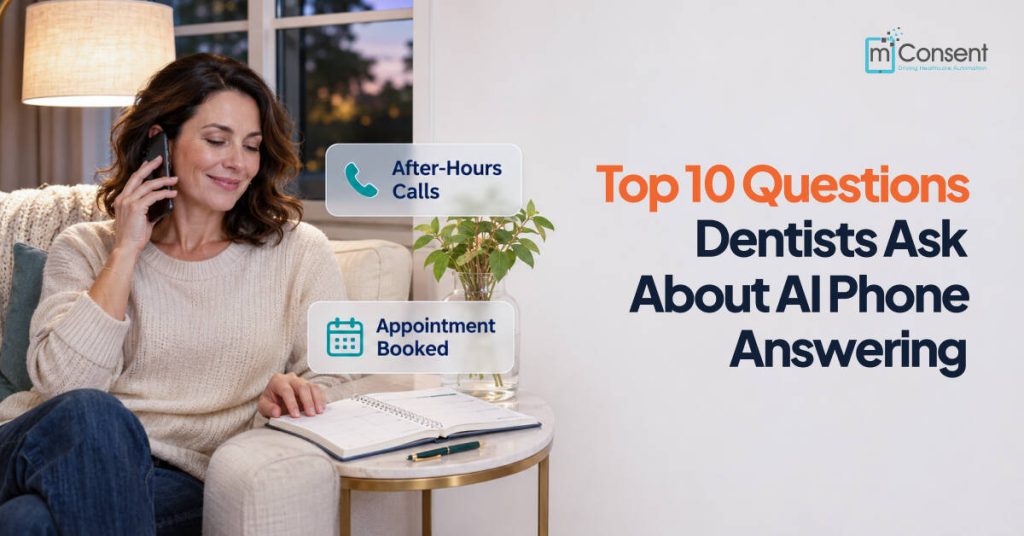



Your dental front desk checks in one patient and verifies coverage for the next when the phone rings twice more. Across 11.5 million calls to 8,280 dental locations in 2025, Patient Prism found that 31 of every 100 callers hung up before reaching anyone. Each hang-up is a patient your team never got the chance to help.
That gap is why more practices are evaluating an AI dental receptionist: software that answers your practice phone in a natural voice, books appointments, answers routine questions, and routes complex calls to your team at any hour.
Before choosing a system, dentists tend to ask the same ten questions. Here are direct answers to each.
Key Takeaways
- An AI dental receptionist answers every call, books appointments in real time, and routes clinical or urgent calls to a person.
- Get a signed Business Associate Agreement (BAA) before any patient call flows through the system.
- Ask to see a live booking and a live reschedule in your own schedule during the demo.
- Start with after-hours and lunch-hour calls, then expand to daytime overflow.
1. What Is an AI Dental Receptionist, and How Does It Work?
An AI dental receptionist is voice AI that answers patient calls, understands what the caller needs, and completes the task while the caller is still on the line. It can book, reschedule, and confirm appointments and answer questions about hours, location, and accepted insurance plans.
AI dental receptionist software differs from a phone tree, which routes callers by button press, and from a traditional dental office virtual receptionist service, where remote staff answer calls one at a time. Many systems can handle several calls at once and send a text confirmation when the call ends. The AI answers from the information your practice provides, so keeping that information current keeps its answers accurate.
2. Can It Book Appointments Directly Into My Schedule?
It should, and this is the most important question to ask. Good dental appointment scheduling AI checks live availability and writes the appointment during the call. Weaker tools only collect a request and leave a task for your team, which turns an answered call into a callback.
Ask whether the integration reads your schedule, writes to it, or both. Ask how it follows your rules for providers, appointment types, procedure length, and blocked time. Then test the hardest case, rescheduling. The AI should find the existing patient, cancel the old slot, and book a new one without creating a duplicate record. Watch that booking land in your live schedule during the demo, not in a sandbox.
3. Is an AI Dental Receptionist HIPAA Compliant?
It can be, but compliance depends on the vendor’s safeguards and signed paperwork, not a badge on its website. Once a system records calls, stores transcripts, or captures a patient’s reason for calling, it handles protected health information. That makes the vendor a business associate, and HIPAA (45 CFR 164.504(e)) requires a written Business Associate Agreement.
Before going live, confirm that:
- A BAA is signed
- Calls and data are encrypted in transit and at rest
- You control who can access recordings and how long they are kept
- The contract states what happens to your data if you cancel
Some states require all-party consent to record calls, so make sure the greeting includes a recording notice where needed.
4. What Happens With Emergencies or When a Patient Asks for a Person?
A well-configured system recognizes when a call is beyond its scope and passes it to your team. Calls about swelling, trauma, heavy bleeding, or severe pain, and any upset caller, should reach a person every time. Write these rules down during onboarding so the AI and your staff follow the same playbook.
Ask how the handoff works. A warm transfer passes along the caller’s name and reason for calling, so the patient doesn’t repeat themselves. A blind transfer drops the call onto another line. Also ask what happens when nobody answers a transfer after hours. The call should ring your on-call number or trigger a callback, not land in an unchecked voicemail box. Test your emergency path yourself before launch.
5. Will My Patients Accept Talking to AI?
Acceptance depends less on the technology and more on how easily callers can reach a person. A dental AI receptionist works through a normal phone call, with no app to download and no menu to navigate.
Escalation is where the patient experience is won or lost. In a 2026 national survey reported by Medical Economics, nearly a quarter of adults who had dealt with AI on a call gave up without getting the help they needed. Give every caller a clear path to a human, and consider a rollout where staff answer first during the day while the AI covers overflow and after-hours calls.
6. Do I Have to Tell Patients They’re Talking to AI?
Sometimes the law requires it, and disclosing is the safer practice everywhere. Utah, California, and Maine have passed laws requiring disclosure of AI interactions in certain situations, and more states are considering similar rules.
A simple greeting works: “You’re speaking with our virtual assistant. I can help you schedule, and I can connect you with our team anytime.” If you plan to use AI voice for outbound recall or confirmation calls, the FCC ruled in 2024 that AI-generated voices count as artificial voices under the TCPA, which generally requires prior express consent. Review your state’s rules with your compliance lead.
7. Will It Replace My Front Desk Team?
In most practices, it doesn’t. An AI receptionist for dental offices absorbs repetitive calls such as confirmations, hours, directions, and routine scheduling, so your team has more time for patients at the counter, treatment coordination, insurance follow-up, and reactivation.
Dentists are adopting AI mostly for administrative work. According to the ADA Health Policy Institute, 43.3% of dentists used AI for at least one task as of mid-2026. Among dentists not yet using it, charting (34.8%) and insurance verification (32.6%) were among the most likely planned uses, while 82.6% said they don’t plan to use AI for treatment recommendations. Plan for a short daily review of the calls the AI handled.
8. How Much Does It Cost, and Is It Worth It?
Pricing models vary: per minute, per call, flat monthly per location, or tiers based on call volume. Ask about setup fees, integration fees, overages, extra phone lines, and contract terms before comparing quotes.
For any AI receptionist for dentists, return matters more than the sticker price. Pull your phone report for a normal week and count missed and voicemail calls. Estimate how many were new patients, then multiply by your average new patient value from your practice reports. Compare that figure with the monthly fee to see how many recovered patients it takes for the system to pay for itself.
9. Does It Handle After-Hours and Overflow Calls?
Yes, and these are separate problems. After hours, nobody is available, so the AI is the only answer. Overflow happens during the day, when your team is present but already on another call or helping a patient.
Strong AI phone answering for dentists covers both. Ask how the system decides a call is overflow, such as after three rings or when every line is busy, and whether it can pass a call back to staff mid-conversation. Lunch hour, early mornings, evenings, and weekends are good places to start, since calls are most likely to reach voicemail during those hours today.
10. How Long Does Setup Take, and How Do I Measure Results?
Setup usually takes a few days to a few weeks, depending on the vendor and how your scheduling system connects. The work covers connecting your schedule, loading office details and appointment types, writing escalation rules, and running test calls. You can keep your existing number by forwarding calls to the AI.
Run three tests before launch: reschedule a real patient, place an emergency call at 7 p.m., and confirm the BAA is signed. After launch, track your answer rate, AI-booked appointments, and after-hours bookings, then compare them with your starting numbers at 90 days. Ask for a trial period, and read the cancellation and data-export terms before you sign.
How Zaha AI Answers These Questions
Zaha AI is the AI receptionist inside mConsent, the dental patient communication software used by more than 5,000 practices since 2017. Zaha answers calls 24/7, books appointments in real time, includes built-in insurance verification, and follows up on cancellations to help reduce no-shows.
Because Zaha is part of mConsent, each call connects to the rest of the patient journey. Digital intake forms, insurance verification, payments, and reminders all run in one HIPAA-compliant platform, backed by a signed BAA.
Choose an AI Dental Receptionist That Works Like Part of Your Team
The right AI dental receptionist books into your schedule, protects patient data under a signed BAA, and knows when to hand a call to your team. Ask every vendor these ten questions, then test the answers on a live demo.
See Zaha AI answer a real patient call.