



Every unpaid claim sitting in your system is money you already earned; you just haven’t collected it yet.
That’s the uncomfortable truth about dental Accounts Receivable (A/R). It doesn’t show up as a dramatic crisis. It creeps up quietly: a denied claim here, a forgotten patient balance there, a statement that never gets opened. Then one day your front office looks at the aging report and realizes tens of thousands of dollars are stuck in limbo.
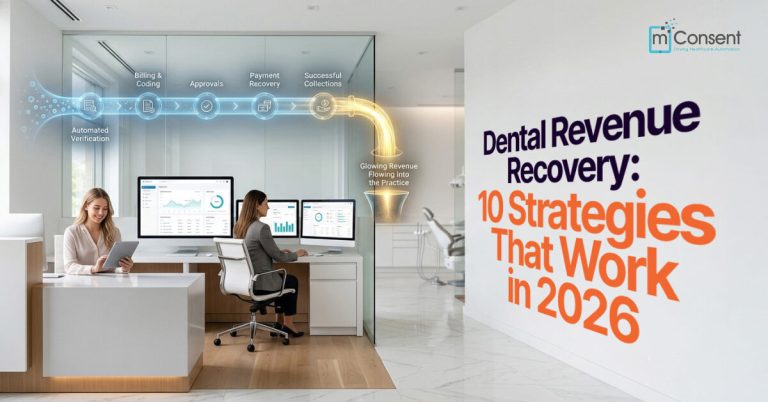
The practices getting ahead of this problem aren’t hiring more billing staff or making more phone calls. They’re automating the entire revenue cycle from insurance verification to the final payment. Here’s how that shift actually reduces A/R, and what it means for your practice.
What Counts as Dental Accounts Receivable?
Accounts Receivable is simply the money owed to your practice for treatment you’ve already delivered. It usually includes:
- Insurance claims awaiting reimbursement
- Outstanding patient balances
- Payment plans in progress
- Unpaid copays and deductibles
- Unresolved treatment balances
Every dollar in that bucket is earned revenue you can’t yet spend on payroll, supplies, or growth. The longer it sits there, the more it costs you not just in cash flow, but in staff time spent chasing it down.
Why Dental A/R Keeps Growing
Manual billing processes
Paper statements, spreadsheets, and phone-call follow-ups take time and invite human error. Every manual step is a place a balance can fall through the cracks.
Insurance claim delays
Missing documentation, coding errors, eligibility mismatches, and coordination-of-benefits issues all stretch out your Days in A/R, often before you even realize there’s a problem.
Poor patient communication
Patients don’t withhold payment out of malice. They forget due dates, don’t understand what they owe, or never see a reminder that reaches them where they actually check messages.
Limited payment options
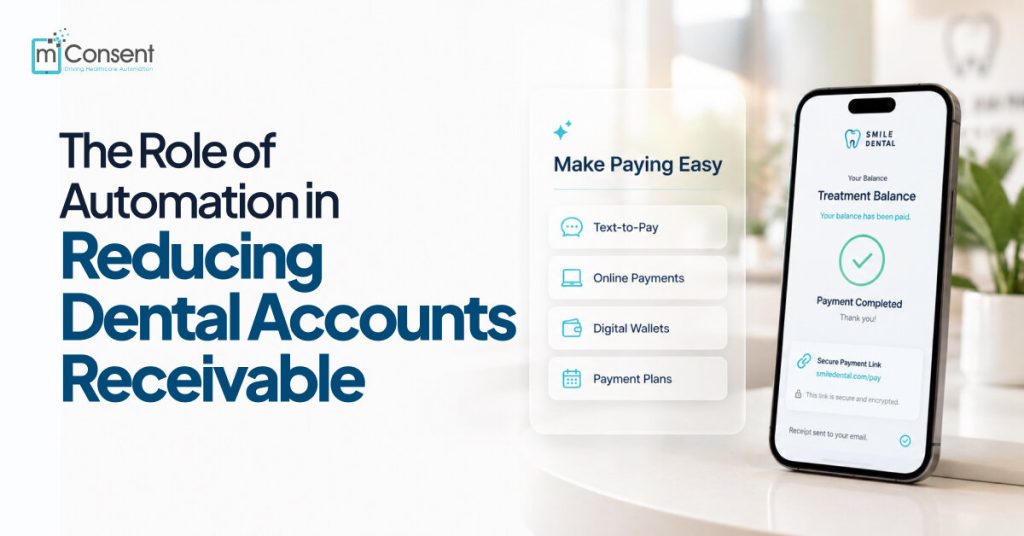
Patients today expect to pay the way they pay for everything else online, on their phone, in one tap. Without options like text-to-pay or digital wallets, balances sit longer than they should.
An overloaded front desk
Your team is juggling scheduling, check-ins, insurance verification, and phone calls. Chasing down a $40 balance rarely wins against a ringing phone line.
What Dental Revenue Cycle Automation Actually Does
Automation doesn’t replace your team; it removes the repetitive financial tasks that eat up their day. Instead of manual follow-up on every claim and balance, software handles:
- Insurance eligibility verification
- Claims tracking
- Payment reminders
- Digital billing and online payments
- Payment plan management
- Balance notifications and follow-ups
- Real-time reporting
The result: fewer things depend on someone remembering to do them.
10 Ways Automation Reduces Dental Accounts Receivable
- Faster insurance eligibility verification. Confirming active coverage, remaining benefits, and deductibles before treatment means fewer denials and cleaner claims from the start.
- Automated patient estimates. Patients pay faster when they know the number ahead of time. Accurate, upfront estimates remove the guesswork that causes hesitation.
- Digital payment requests. Sending secure payment links by text or email lets patients pay in seconds no waiting on a mailed statement to arrive, or a stamp to go back out.
- Automatic payment reminders. People forget. Scheduled reminders before, on, and after the due date keep balances moving without adding a single task to your staff’s plate.
- Online payment portals. Letting patients pay 24/7 from any device removes the biggest reason payments get delayed: it wasn’t convenient when they thought of it.
- Text-to-pay technology. Text messages get opened far more reliably than mail. A one-click payment link inside that text shortens the entire collection cycle.
- Automated payment plans. Large treatment balances feel less intimidating when they’re broken into recurring, auto-processed installments, good for patients, good for your cash flow.
- Claim tracking automation. Instead of staff manually checking claim status, the system flags aging claims and tells your team exactly when to act.
- Smart follow-up workflows. Follow-ups get scheduled based on balance size, payment history, and insurance status, so no account is simply forgotten.
- Real-time financial reporting. Dashboards showing total A/R, aging balances, and collection rates give owners visibility they’d otherwise only get from a once-a-month spreadsheet review.
Manual vs. Automated A/R, Side by Side
| Manual Process | Automated Process |
| Paper invoices | Digital billing |
| Staff-driven reminders | Scheduled reminders |
| Phone call follow-up | SMS and email automation |
| Mailed statements | Online payment portals |
| Manual payment tracking | Real-time dashboards |
| Staff-managed follow-up | Automated workflows |
| Slower collections | Faster payments |
| High administrative load | Streamlined operations |
The Financial Payoff
Practices that automate their revenue cycle typically see:
- Lower Days in A/R
- Improved collection rates
- Faster insurance reimbursements
- Reduced administrative costs
- Fewer claim denials
- Stronger cash flow
- Higher patient satisfaction with billing
Automation Across the Patient Journey
Before the appointment: Verify insurance eligibility, send appointment reminders, collect digital forms, and provide accurate treatment estimates.
During the appointment: Capture digital treatment consent with e-signatures and, whenever possible, collect payments before the patient leaves.
After treatment: Submit insurance claims, send payment reminders and digital statements, manage payment plans, and track collections with automated reporting.
Best Practices Worth Adopting Today
- Verify insurance before every appointment, not after treatment is already done.
- Collect patient responsibility upfront whenever possible, rather than billing after the fact.
- Offer multiple payment options: Cards, ACH, digital wallets, and financing.
- Automate communication so reminders go out consistently, not when someone remembers.
- Review your collection KPIs regularly to catch patterns before they become real problems.
How mConsent Helps Lower Your Dental A/R
mConsent brings these pieces together in one platform so your front desk isn’t managing eight different tools:
- Automated insurance verification
- Digital patient estimates
- Online payment collection
- Secure text-to-pay
- Automated payment reminders
- Flexible payment plans
- Real-time A/R reporting
- Streamlined patient communication
Less manual chasing. More revenue actually landing in the bank.
Where This Is Headed
Revenue cycle automation is only getting more capable. Expect to see more practices adopt AI-assisted collections that flag which accounts need follow-up first, predictive analytics that catch payment risk before a balance goes overdue, real-time insurance benefit interpretation, and a fully connected workflow from scheduling to final payment.
Practices that adopt these tools early won’t just collect faster; they’ll build a front office that’s harder to knock off balance.
Conclusion
Reducing dental A/R isn’t about sending more statements or making more calls. It’s about removing the delays and manual steps that let money sit uncollected in the first place.
Automation touches every stage of that cycle: insurance verification, estimates, billing, reminders, and collections, so payments move faster and your team spends less time chasing them.
Ready to see what automation could do for your practice’s A/R?
FAQs
What are dental Accounts Receivable (A/R)?
Accounts Receivable (A/R) is the money your practice has earned for completed treatment but has not yet collected from patients or insurance companies.
How does automation reduce dental A/R?
Automation speeds up insurance verification, claims processing, billing, payment reminders, and online payments, helping your practice collect revenue faster.
What’s the biggest cause of high dental A/R?
The most common causes are delayed insurance claims, manual billing processes, poor patient communication, inaccurate treatment estimates, and limited payment options.
Can automation improve patient collections?
Yes. Automated payment reminders, text-to-pay, digital invoices, and flexible payment plans make it easier for patients to pay on time, leading to faster collections.
Does automation replace front office staff?
No. Automation handles repetitive administrative tasks, allowing your team to spend more time supporting patients and managing higher-value responsibilities.