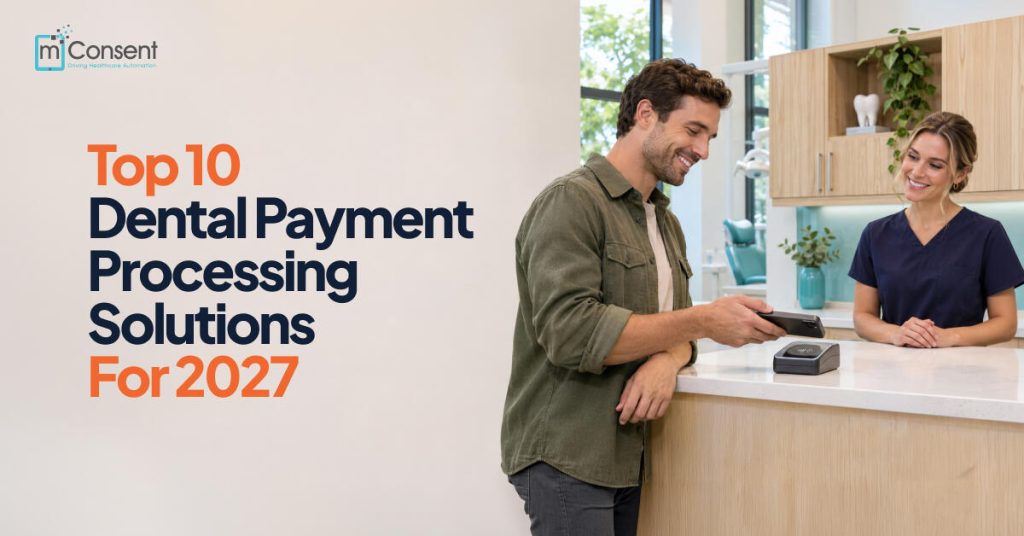




The best dental payment processing solutions for 2027 combine ten capabilities in one system: PMS-integrated card terminals, contactless payments, text-to-pay, email invoices, card on file, automatic ledger posting, A/R aging tracking, in-house payment plans, patient membership plans, and built-in security and fee compliance. When one platform covers all ten, your team collects faster and stops re-keying payments.
Patients are paying a bigger share of their dental bills themselves. In Zentist’s 2026 Dental RCM Trends Report, 31% of the 160+ revenue cycle professionals surveyed named rising patient out-of-pocket costs as the trend most likely to affect their business this year. CareQuest Institute also estimates that 72 million U.S. adults have no dental insurance.
That shift puts dental practice payment processing at the center of your revenue. When patients owe more, two things decide whether a balance gets paid this week or ages past 90 days: how easily the patient can pay, and how quickly that payment reaches your ledger.
What Is Dental Payment Processing?
Dental payment processing is how a dental office accepts, records, and reconciles patient payments. It includes card transactions at the front desk, online and mobile payments, recurring installments, and posting each payment to the patient’s ledger in your practice management system (PMS).
Modern dental payment systems do far more than run a card. They connect to your PMS, send payment requests by text, and automate recurring billing, so your front desk spends less time chasing balances.
The Top 10 Dental Payment Processing Solutions for 2027
1. PMS-Integrated Card Terminals
A standalone card machine means your team runs the payment, then types it into the PMS by hand. An integrated terminal sends each transaction to the patient’s ledger automatically, which removes double entry and the reconciliation errors that come with it.
What to look for: Confirmed write-back to your specific PMS, not just general “compatibility.”
2. Contactless and Digital Wallet Payments
Patients expect to tap a card or phone at checkout. Your terminal should accept tap, chip, and swipe, along with Apple Pay and Google Pay. In a 2023 American Express and Salucro survey of 1,514 healthcare consumers, 70% said they would prefer to pay with a credit or debit card, including HSA and FSA cards.
3. Text-to-Pay
Modern dental payment processing technology has moved the patient statement to the phone. Text-to-pay sends a secure payment link by SMS, and the patient pays in a few taps with no app or login. In a 2023 Salucro survey of more than 1,300 patients, 59% said they prefer text notifications for bills over phone calls or email, and 51% said a text reminder would prompt them to pay faster.
What to look for: An itemized invoice inside the link (procedure, insurance estimate, and patient portion) and SMS consent captured at setup to support TCPA compliance.
4. Email Invoices with Online Payment Links
Some patients prefer email. A branded email invoice with a secure payment link gives them a second channel. It should run on the same system as text-to-pay so every payment posts the same way.
5. Card on File
With patient authorization, a saved card lets you charge for returning visits, plan installments, or same-day balances without asking for the card again. Tokenized storage keeps the card data protected. Card on file also powers every recurring payment option below.
6. Automatic PMS Ledger Posting
This is where many dental office payment processing setups break down. If terminal, text, email, and plan payments each post through a different route, someone still has to match them up by hand at the end of the day. Choose a system where every payment type posts to the correct patient ledger automatically, and ask each vendor which PMS platforms support full write-back and which offer only read-only balance access.
7. A/R Aging Tracking and Payment Reminders
Unpaid balances get harder to collect the longer they sit. A strong system shows 30/60/90-day aging in one dashboard and lets your front desk send a payment link straight from that view. Pair it with a regular follow-up schedule so balances don’t go untouched after the first statement.
8. In-House Payment Plans
Patients accept large treatment more easily when they can spread the cost of cases like orthodontics and implants. Practice-managed payment plans split a fixed treatment cost into scheduled installments charged to the card on file.
What to look for: Plan terms of 12 to 24+ months, stored patient-signed agreements, automatic retries on failed charges, and SMS reminders.
9. Patient Membership Plans
Membership plans solve a different problem. An in-house membership plan charges uninsured patients a recurring monthly or annual fee in exchange for included preventive care and a discount on other treatment. For the 72 million U.S. adults without dental insurance, it gives them a reason to stay on your schedule.
Keep the two options distinct. A payment plan finances one specific treatment over a fixed term, while a membership plan is an ongoing subscription.
What to look for: Quick enrollment, automatic renewals, and no per-member fees that grow as your program grows.
10. Security, Compliance, and Fee Controls
Dental payment processing software handles card data and patient information. It should work with a PCI DSS–compliant payment partner, tokenize and encrypt card data, and come with a signed Business Associate Agreement (BAA).
If you plan to pass processing fees to patients, the rules are strict. According to a 2026 analysis by law firm Burr & Forman:
-
- Visa caps credit card surcharges at 3% and Mastercard at 4%, and a surcharge can never exceed your actual cost.
- Debit cards can’t be surcharged.
- Connecticut, Maine, and Massachusetts prohibit or heavily restrict surcharging.
Your system should apply fees only where state law and card network rules allow.
Dental Payment Processing Solutions at a Glance
| Solution | What It Fixes | Must-have feature |
| Integrated terminals | Manual re-keying | Write-back to your PMS |
| Contactless payments | Slow checkout | Tap, chip, Apple Pay, Google Pay |
| Text-to-pay | Ignored paper statements | Itemized invoice in the link |
| Email invoices | Patients who prefer email | Same backend as text-to-pay |
| Card on file | Repeated card requests | Patient authorization, tokenization |
| Automatic posting | Reconciliation errors | Every payment type posts automatically |
| A/R aging tracking | Balances past 90 days | 30/60/90-day view with payment links |
| Payment plans | Declined large cases | Auto-charges with smart retries |
| Membership plans | Uninsured patients who leave | No per-member fees |
| Security and fee controls | Compliance risk | BAA, PCI partner, compliant fee rules |
How to Choose Dental Payment Processing Software in 2027
Before you sign, ask every vendor these five questions:
-
- Which payment types post automatically to my PMS, and is any of that read-only?
- Does one platform cover terminals, text, email, payment plans, and memberships, or will I need separate tools?
- What are the full costs, including setup, monthly, terminal, and per-member fees?
- Are processing rates confirmed in writing before activation?
- Will you sign a BAA, and how do you capture SMS consent?
How mConsent’s Dental Patient Payments Solution (mPayr) Brings All 10 Together
mPayr, the payments module of mConsent, is a set of dental billing and payment solutions that covers every item on this list in one platform.
Integrated posting: Payments post automatically to Eaglesoft and Open Dental ledgers. mConsent is an Authorized Connected Partner with Dentrix for read-only balance integration.
Every payment method: A wireless terminal for tap, chip, and swipe, plus Apple Pay, Google Pay, card on file, Text2Pay, and branded email invoices. Patients never need an app or account.
Collections built in: Text2Pay invoices show the procedure, insurance estimate, and patient portion. 30/60/90-day aging sits in the same dashboard.
Plans and memberships: Payment plans run 12 to 24+ months with smart retries. Patients enroll in memberships in about two minutes, with no per-member fees.
Compliance: A PCI DSS payment partner, a BAA executed with every practice, TCPA-compliant SMS consent, and optional fee pass-through only where state law permits.
Simple pricing: $99/month covers the software, gateway, terminal, Text2Pay, payment plans, and memberships, with a $0 setup fee and volume-based processing rates confirmed before activation.
One general practice in the mConsent network built a $500-per-year membership plan, enrolled 850 patients, and created $425,000 a year in recurring revenue that didn’t exist before.
Frequently Asked Questions
What is the best dental payment processing solution for 2027?
The best option combines integrated terminals, text-to-pay, card on file, payment plans, membership plans, and automatic PMS posting in one platform. mConsent’s Dental Patient Payments Solution (mPayr) covers all of these for one flat monthly fee.
How much does dental payment processing cost?
Costs usually include a processing rate on each card transaction plus software, gateway, terminal, and setup fees. Some membership tools also charge per member. Ask for every fee in writing before you sign.
Can dental offices charge patients a credit card fee?
In many states, yes, within limits. Visa caps surcharges at 3%, debit cards can’t be surcharged, and some states, including Connecticut, Maine, and Massachusetts, prohibit or restrict the practice. Check your state’s rules first.
What is the difference between a dental payment plan and a membership plan?
A payment plan splits the cost of one specific treatment into installments over a fixed term. A membership plan is an ongoing subscription that covers preventive care and discounts other treatments for patients without insurance.
Does dental payment processing software need a BAA?
Card processing alone is largely exempt from HIPAA. Payment software that sends itemized invoices, stores patient agreements, or connects to your PMS handles protected health information, so the vendor should sign a BAA.
Get Paid Faster in 2027
Patients are paying more out of pocket, and they want to pay from their phones. The right dental payment processing platform lets them do that, posts every payment to your ledger automatically, and turns uninsured patients into recurring revenue.
See all four mPayr pillars in a 15-minute demo, with your PMS on screen.