



The first encounter patients have after entering your practice is with your front office staff. When patients see that your receptionist or technician is scrambling to find misplaced paper charts or have papers scattered across the front desk, it leaves an unpleasant impression.
On the contrary, front office staff that appear to be relaxed and operating smoothly with digital technology at their fingertips leave a pleasant impression of comfort and state-of-the-art care. mConsent’s front office automation system takes the workload off your staff and simplifies patient intake forms, document collection, data storage, and much more.
Here are 3 ways mConsent automates your front office
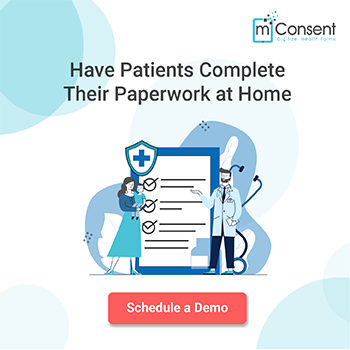
1. Patients conveniently complete all necessary forms remotely, from home
Not only do patients love the convenience of being able to fill out all their required paperwork from home, but office personnel and health professionals enjoy the simplicity, security, and plethora of benefits that come with mConsent’s digital forms.
mConsent’s time-saving technology enables you to spend more time with your patients providing top quality care. No more wasted hours searching for lost patient files or inputting information into your system.
mConsent simplifies the process by transferring all the online forms (completed and electronically signed by your patients) directly into your EMR system. Healthcare practitioners rave about mConsent’s ease of use, reliability and convenience.
2. mConsent digitizes all your paper forms and eliminates the need for scanning
The tedious work of printing patient forms, scanning signed documents, and stocking up on paper office supplies can now be a thing of the past. You can easily streamline your office with mConsent’s customized iPads and select from a library of forms that suits your needs.
Our HIPAA compliant software allows you to receive electronically signed documents along with your patient’s ID and insurance card by the touch of a button. Our support team is readily available to help you get started today.
3. Security, Reliability & Accuracy of Patient Data
mConsent’s end-to-end encryption ensures top security features in our cloud software. Paper files have the disadvantage of becoming lost, stolen or improperly discarded. With mConsent’s innovative services, all those concerns are resolved. Our software properly collects, stores and transmits patient information in accordance with HIPAA regulations, helping your office to remain HIPAA compliant.
Incorrect insurance claims and illegible handwriting are two problems that many healthcare professionals face with paper forms. A primary reason is due to the input of inaccurate or indecipherable patient information on paper forms.
With mConsent, accuracy of data is our priority. Our online setup is intentionally simplified, helping patients understand and fill out forms properly. Having the convenience of filling out forms at home also ensures more accurate information is provided by the patient as they will have access to their list of medications and previous health documents.
Learn why healthcare professionals trust mConsent software to simplify their front office operations. Contact us today for a free demo.