



More dental practices are moving away from insurance networks. Not because insurance is disappearing, but because being in-network often means accepting lower reimbursements and less control over pricing.
Instead, many practices are offering dental membership plans. Patients pay a simple monthly or annual fee for preventive care and discounts on treatment, giving practices predictable revenue without relying on insurance claims.
If you’re thinking about creating a membership plan, here’s how to structure it and launch it successfully.
What Is a Dental Membership Plan?
A membership plan is a recurring fee patients pay directly to your practice, monthly or annually, in exchange for included services (typically cleanings and exams) and discounts on additional treatment.
Unlike a payment plan, which has a fixed end date (say, 12 months to pay off a procedure), a membership doesn’t expire. It renews automatically until the patient cancels, closer to a subscription than an installment plan.
This matters most for fee-for-service practices: offices that don’t contract with insurance companies and instead charge patients directly. A membership plan gives those patients a predictable, affordable way to access care and gives you a predictable, recurring revenue stream instead of one-off visits.
Step 1: Decide What’s Included
Most membership structures include:
- A set number of cleanings and exams per year (commonly two)
- A discount percentage on additional treatment for members
- Sometimes tiered pricing. For example, a standard adult rate and a lower rate for children
Keep it simple at launch. You can always expand later.
Step 2: Set Your Pricing Structure
You’ll typically need to decide between:
- Monthly billing: A smaller recurring charge, often paired with a one-time activation or down payment
- Annual billing: The full year collected upfront, with no recurring charge until renewal
Many dental practices also charge a small reactivation fee if a patient cancels and later wants back in; this protects against people joining right before a cleaning and canceling immediately after.
Step 3: Build Your Cancellation and Reactivation Policy
Decide upfront:
- Can members cancel any time, or is there a minimum term?
- What happens to unused benefits if they cancel mid-cycle?
- Is there a fee to reactivate later?
Write this down before you launch. It’s much easier to set the policy once than to explain it patient-by-patient later.
Step 4: Get the Agreement in Writing
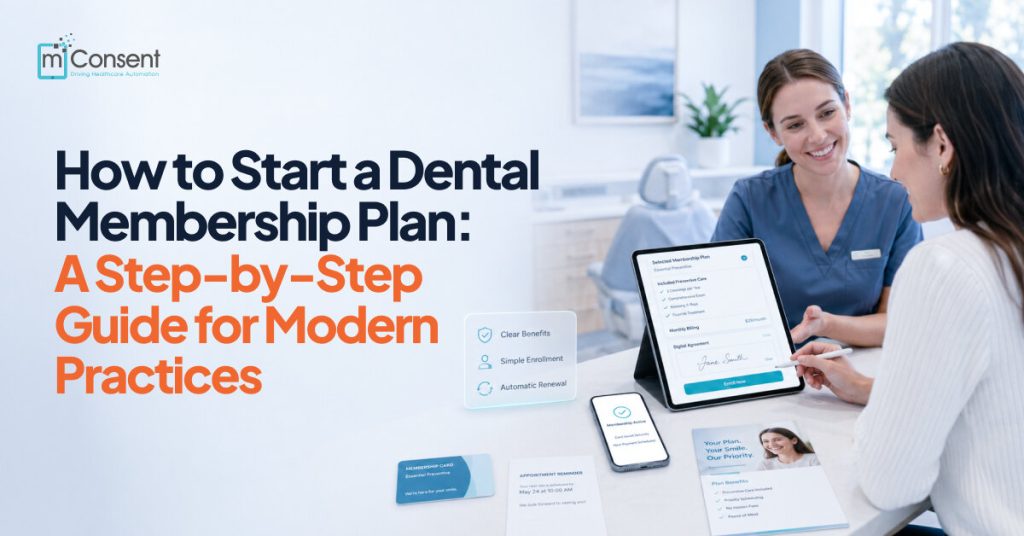
A membership plan is an ongoing financial commitment, so every patient should sign an agreement. The agreement should clearly explain the billing schedule, what’s included in the plan, and the cancellation terms. This protects both your practice and your patients. Make it easy to sign by having patients complete it in the office, on an iPad, or from their phone when they enroll.
Step 5: Set Up Recurring Billing and Card-on-File
This is where most practices get stuck if they try to run it manually. A recurring membership means:
- Saving a card on file for every member
- Automatically rebilling monthly or annually
- Catching failed payments before they turn into an awkward front-desk conversation
Manually tracking this in a spreadsheet works for a handful of patients. It stops working once you have fifty.
Step 6: Bundle Enrollment With the First Visit
The easiest time to sign someone up is the day they’re already in the chair. If a new patient comes in for a cleaning and wants to enroll in the membership on the spot, you should be able to collect the first month’s fee, the down payment, and the cost of that day’s visit in a single transaction. One clear breakdown, one card swipe.
Step 7: Monitor Failed Payments Weekly
Once you have members on file, someone on your team should check weekly for failed or overdue payments, expired cards, insufficient funds, etc. and follow up before it becomes a lapsed membership. This is the piece that quietly makes or breaks whether a membership program actually generates the revenue it’s supposed to.
Where mConsent Fits In
mConsent’s Membership module helps you manage every part of your membership program from setting up plans and collecting down payments to processing one-time charges, recurring payments, and securely storing cards on file. It also gives your team a dashboard to quickly spot failed or overdue payments, so nothing slips through the cracks.
If you’re a fee-for-service practice looking for an easier way to manage and collect membership payments, mConsent simplifies the entire process.
Want to see how it works in a real practice?
Conclusion
A successful dental membership plan is more than a pricing option; it’s a long-term strategy for building patient loyalty, creating predictable recurring revenue, and reducing your practice’s dependence on insurance reimbursements. When designed thoughtfully, it gives patients an affordable way to stay on top of their oral health while giving your team greater control over pricing, collections, and the overall patient experience.
The key is having the right structure from the start. Clear plan benefits, transparent pricing, well-defined policies, signed agreements, reliable recurring billing, and consistent payment monitoring all work together to create a membership program that patients trust and your team can manage efficiently.
While it’s possible to handle these tasks manually, the administrative work grows quickly as your membership base expands. Tracking recurring payments, updating expired cards, processing enrollments, and following up on failed transactions can quickly become time-consuming and lead to missed revenue if your team relies on spreadsheets or manual reminders.
That’s where the right technology makes a difference.
mConsent’s Membership module handles the core of that administrative load: creating customized plans, collecting enrollment fees, securely storing cards on file, automating recurring payments, and tracking failed or overdue transactions. It helps your team manage memberships without adding extra administrative work, so staff spend less time on manual billing and more time focusing on patient care.
Whether you’re launching your first dental membership plan or replacing a manual process that’s no longer scalable, the right system makes growth much easier.
If you’re ready to see how a modern membership program can work for your practice, book a personalized demo of mConsent. We’ll show you how to set up and run a membership plan that supports both your patients and your practice’s long-term success.