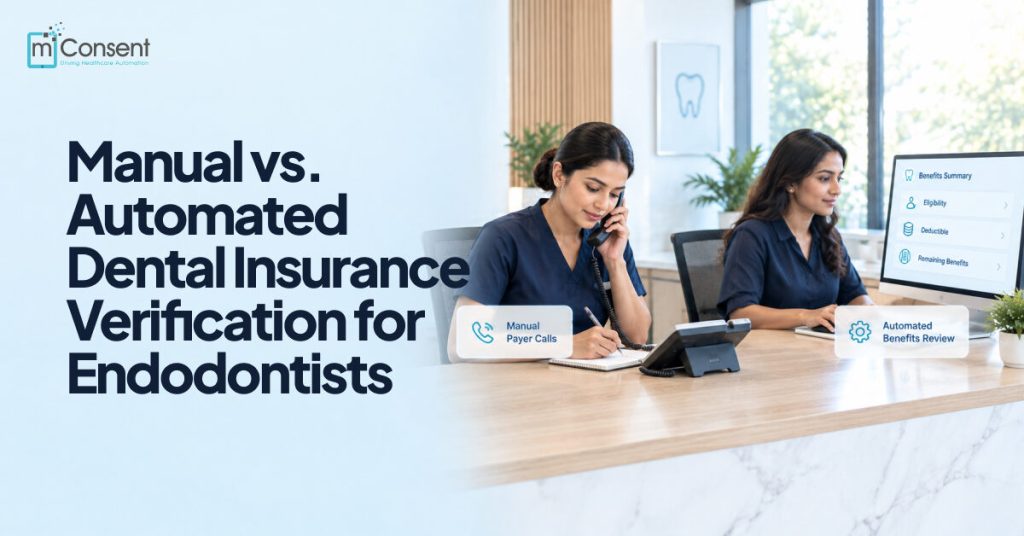




Two endodontic practices verify the same patient’s insurance on the same morning. One front-desk coordinator spends 20 minutes on hold with the payer, reading off a birthdate and a member ID, then waiting for someone to confirm coverage. The other has the answer in under a minute: eligibility, deductible, and remaining benefits already sitting in the patient’s chart before the coordinator even picks up the phone.
Same task. Completely different process.
The choice between manual dental insurance verification and automated dental insurance verification isn’t only about speed. It shapes how much staff time gets absorbed by payer calls, how often errors slip through under pressure, and how quickly a patient who showed up in pain gets from the front desk into the chair.
That last part matters more in endodontics than in most other specialties. Endodontic practices see a disproportionate share of emergency and referred patients, which means the verification method isn’t tested occasionally; it’s tested every single day, often multiple times before lunch. A process that holds up fine at low volume can fall apart the moment three emergency patients arrive within an hour of each other.
This guide compares both approaches directly: cost, speed, accuracy, and staff burden. It also looks at where dental insurance verification software like mConsent Insurance Concierge fits for practices that are ready to move from manual work to automation.
What’s the Difference Between Manual and Automated Dental Insurance Verification?
Manual dental insurance verification involves staff calling payers or logging into portals to confirm a patient’s coverage, while automated dental insurance verification uses software to retrieve eligibility, benefits, and coverage details directly and often in real time. Automated verification generally reduces staff time and standardizes accuracy, while manual verification offers more direct control for complex or unusual cases.
How Manual Dental Insurance Verification Works
The typical process
In a manual workflow, a staff member calls the payer directly or logs into a payer portal to confirm a patient’s plan status. They record eligibility, remaining deductible, annual maximum, and any plan-specific limitations by hand, usually in a spreadsheet, on a sticky note, or in a field in the practice management system. For endodontic practices, this often has to happen the same day a referral or emergency patient calls in, which puts the entire process under time pressure from the start.
Where it’s still common
Manual verification is still the default for many smaller practices, ones with lower patient volume, and cases involving payers that don’t offer reliable digital eligibility data. If a payer’s portal is inconsistent or a plan is unusual enough that automated tools can’t parse it cleanly, a phone call is sometimes the only reliable option.
Its real advantages
Manual work isn’t automatically the wrong choice. A person on the phone can ask follow-up questions, catch ambiguous plan language, and use judgment on cases that don’t fit a standard template. It doesn’t depend on any software integration, and it keeps working even when a payer’s digital systems are down or unreliable.
Its real drawbacks
The tradeoffs show up at volume. Each patient costs real time, often 15 to 30 minutes per call, and that time compounds fast during a busy morning of emergency patients. Accuracy also varies by who’s making the call: one coordinator might double-check waiting periods and frequency limitations, another might not think to ask. Under time pressure, those missed details are exactly what turns into denied claims later.
How Automated Dental Insurance Verification Works
The typical process
Automated dental insurance verification connects directly to payer systems or clearinghouses to retrieve eligibility and benefits data, often in real time or near-real time. Instead of a staff member working the phone, the software runs the check and returns coverage details, sometimes before the patient even arrives for their appointment.
What it standardizes
The same checklist runs the same way for every patient: eligibility status, deductible remaining, annual maximum, waiting periods, and frequency limitations. Because the process doesn’t depend on which staff member is making the call that day, results stay consistent no matter how busy the front desk is.
Its real advantages
Speed is the obvious one: checks that used to take 20-plus minutes on hold can return in seconds. That frees up meaningful front-desk time, particularly in a practice fielding multiple emergency or referred patients a day. Verification can also start before the patient walks in, which means less scrambling once they’re sitting in the waiting room.
Its real limitations
Automation isn’t a complete replacement for judgment. Results still depend on the payer’s data being current and available; if a payer’s system is down or hasn’t updated a plan change, the automated check will reflect that gap. Complex situations, like coordination of benefits between two plans or an unusual plan structure, may still need a staff member to follow up manually. The realistic framing is that automation handles routine volume; people still handle the exceptions.
Manual vs. Automated: Side-by-Side Comparison
| Manual verification | Automated verification | |
| Turnaround time | Minutes to hours | Real-time or near-real-time |
| Front-desk time per patient | High | Low |
| Consistency | Varies by staff, drops under pressure | Standardized every time |
| Procedure-code-level detail | Depends on staff follow-through | Systematically checked |
| Handling of complex/unusual cases | Stronger (human judgment) | May still require manual review |
| Documentation | Manual notes, easy to miss | Automatic audit trail |
| Upfront cost/setup | Low (uses existing staff time) | Requires software/workflow setup |
| Best fit | Low volume, simple plans, complex-case-heavy practices | Emergency/high-volume, referral-heavy practices like endodontics |
Most practices don’t end up picking one column and abandoning the other. The realistic pattern is a hybrid: automated checks handle the routine volume, and staff step in for the coordination-of-benefits questions and unusual plans that still need a phone call. The goal isn’t to eliminate manual work; it’s to reserve it for the cases that actually need it.
When Does It Make Sense to Switch to Automated Verification?
A few signals tend to show up together in practices that are ready to move from manual checks to automation:
- A high volume of emergency or same-day patients, where verification has to happen fast and often without advance notice
- A front desk regularly tied up on payer calls or portal checks instead of patient-facing work
- Billing surprises that keep tracing back to a missed detail during verification, a waiting period, a frequency limitation, an inactive plan
- Patient volume that’s grown past what manual verification can keep up with without adding staff hours
If two or more of these apply to your practice, automation is likely worth evaluating.
Replacing Manual Checks With Automated Verification
The practical shift isn’t complicated. Instead of a staff member manually working through the same checklist for every patient- eligibility, coverage, deductible, remaining benefits- an automated workflow handles that lookup directly, and staff time gets redirected to patient-facing work and the complex cases that still need a human.
This is where mConsent Insurance Concierge fits for endodontic practices specifically. It pulls dental insurance eligibility verification data- 18+ data points per patient- with results back in the practice management system within 24-48 hours before the appointment, and dedicated agents (not just software) available for the cases that need a closer look. For a practice handling a steady stream of emergency and referred patients, that turnaround difference is the whole point: verification happens before the patient sits in the chair, not scrambled together while they wait.
Replace Manual Insurance Checks With Automated Verification for Endodontic Practices
mConsent Insurance Concierge helps endodontic practices move from time-consuming manual dental insurance verification to a more efficient automated workflow, accessing eligibility, coverage, deductibles, remaining benefits, and patient responsibility more efficiently, so front-desk teams save time and reduce verification errors.
What to Look for When Choosing Automated Verification Software
Not every dental insurance verification software option is built the same way. A few things worth checking before committing to one:
- Real-time or near-real-time eligibility response – a tool that still takes a day to return results isn’t solving the speed problem
- Procedure-code-level detail for endodontic-specific codes – general dental verification tools don’t always account for the codes endodontic treatment actually uses
- A clear escalation path for complex cases that still need manual review, rather than a system that returns an ambiguous result and stops
- Integration with your existing practice management system and billing workflow – a tool that requires double entry defeats the purpose
- A documentation or audit trail you can reference if a claim gets questioned later
AI dental insurance verification and dental insurance verification automation tools vary a lot on these points, so it’s worth testing against your practice’s actual patient mix, not just a vendor’s demo scenario, before switching over.
Conclusion
Manual verification isn’t wrong. It’s slower and more error-prone at volume, which is exactly how most endodontic practices operate daily. Automation doesn’t need to replace every manual check; it needs to absorb routine work so staff can focus on complex cases and the patients in front of them.
Replace Manual Insurance Checks With Automated Verification for Endodontic Practices
FAQ
1. Is manual insurance verification still reliable?
Yes, for the right situations. Manual verification works well for low-volume practices, payers without reliable digital eligibility data, and complex cases that benefit from follow-up questions. It becomes less reliable as patient volume grows, since accuracy depends on staff consistency and available time.
2. How much faster is automated verification than manual?
Manual verification typically takes 15 to 30 minutes per patient over the phone. Automated verification, by comparison, can return eligibility and benefits details in real time or near real time, often before the patient arrives for their appointment.
3. Do automated verification tools handle complex insurance cases?
Not always completely. Automated tools handle routine eligibility and benefits checks well. However, coordination of benefits, unusual plan structures, and other edge cases often still need a staff member or dedicated agent to review manually.
4. Can a practice use both manual and automated verification together?
Yes, and most practices do. A common hybrid approach uses automation for routine, high-volume checks and reserves manual follow-up for complex or unusual cases that automated tools can’t fully resolve.
5. What are the biggest risks of manual insurance verification?
The main risks are time cost and inconsistency. Manual checks take longer per patient, and accuracy depends on the staff member handling the call. Under time pressure, details like waiting periods or frequency limits are easy to miss, which can lead to denied claims later.
6. Is automated dental insurance verification accurate?
Automated verification standardizes the same checklist for every patient, which reduces the inconsistency that comes with manual work. Accuracy still depends on the payer’s data being current, so complex or unusual cases may need manual confirmation as a backup.